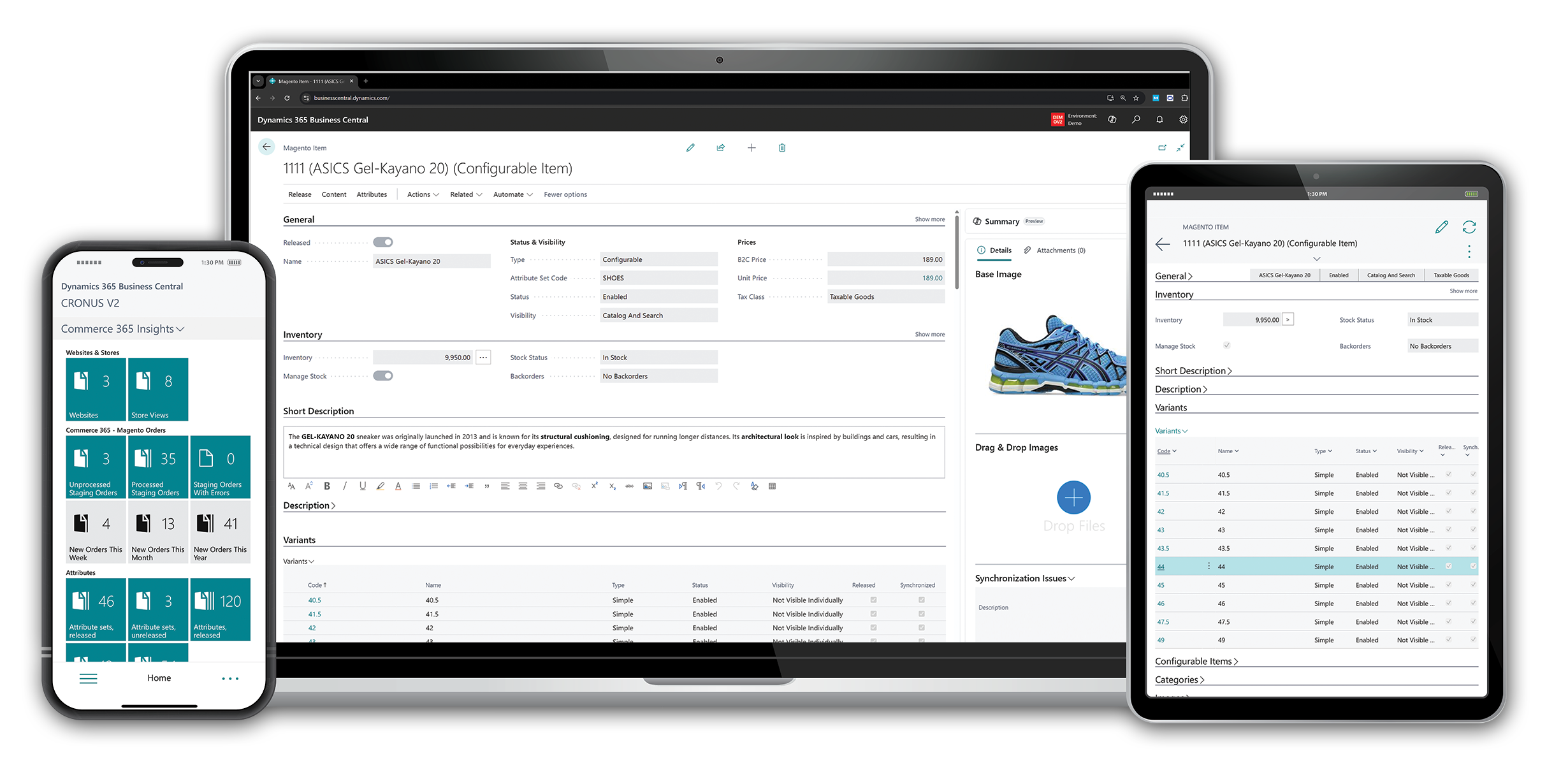
Running an online business in Bangladesh is more exciting than ever. New e-commerce shops open every day, and people love shopping online. But success is not easy. As your store grows, you face problems: too many orders, long hours, mistakes, and stress. This is where e-commerce automation becomes your best friend. Imagine your store running itself—orders, shipping, marketing, accounting—all automated. You save time, avoid costly errors, and earn more profit. Let’s explore how a fully automated e-commerce business can transform your life, your store, and your income.
E-commerce automation means using software and technology to do daily tasks automatically. You set the rules once, and the system works for you. This includes sending marketing emails, updating inventory, processing orders, shipping products, and managing accounts. With automation, you work less but achieve more.
For Bangladeshi business owners, automation is a smart way to compete with global brands. It gives you the freedom to focus on growth, not just daily work. And if you want to scale your business, automation is not a luxury—it’s a must.
Let’s look deeper at what automation means for a store owner. Imagine you sell fashion items. Every day, you get new orders, answer customer questions, check stock, and arrange delivery. At first, this is exciting. But soon, it becomes tiring.
You start making mistakes—maybe you forget to ship an order, or you sell an item that’s out of stock. Customers complain, and your reviews drop.
With automation, much of this work disappears. The moment an order is paid, your system updates the stock, sends a confirmation email, and tells the warehouse to pack the item. You don’t have to do these steps by hand. If you run a sale, your marketing system sends out emails to the right customers at the right time.
When you need to check your profits, your accounting software prepares reports in seconds.
Non-obvious insight: Automation does not mean you lose control. You still set the rules and check results. But you stop doing the boring jobs, so you can focus on strategy and growth.
Many Bangladeshi owners worry that automation is “just for big businesses. ” This is not true. Today, even small and medium shops can automate most tasks for a low cost. You do not need a big IT team—modern tools are easy to use, often with simple drag-and-drop dashboards and clear instructions.
Owners often try to do everything themselves. But manual work leads to mistakes, slow service, and tired teams. Here are the big reasons to automate:
Save Time: Automation handles repetitive tasks, so you get hours back every day.
Reduce Errors: Software does not get tired or distracted, so there are fewer mistakes with orders or inventory.
Increase Profits: Faster processing, fewer returns, and better marketing mean more sales and higher margins.
Scale Easily: Grow your store from 10 to 10,000 orders a month without hiring a huge team.
Better Customer Experience: Automated systems reply to customers quickly, ship on time, and keep buyers happy.
Let’s go deeper into these points.
Time is the most valuable thing for any business owner. If you spend three hours a day updating orders, checking stock, or sending emails, that is 90 hours each month! With automation, you can cut this to just 15–20 minutes for monitoring.
Example: Instead of writing and sending each invoice by hand, your system sends invoices immediately when payment is received. Instead of updating your Facebook Shop, website, and Daraz one by one, your inventory syncs everywhere at once.
Non-obvious insight: Saving time does not just mean working less. It also means you have more energy for creative tasks—finding new products, making videos, or talking with customers.
Manual work is risky. People get tired, especially during sales or busy seasons. A small mistake—like shipping the wrong item or sending two parcels to the same address—can lead to refunds, angry customers, and bad reviews.
Automation follows rules exactly. If you set “do not sell when stock is zero,” your system will never oversell. If you want to send a thank-you email three days after delivery, it will always happen on time.
Example: A shop owner in Dhaka reduced order mistakes from 5% to less than 1% after setting up automated order checks and stock updates.
Automation speeds up everything. Orders are processed in minutes, not hours. Customers get their items faster, so they are happier and more likely to buy again. Fewer returns and errors mean less money lost.
Also, marketing automation helps you sell more to each customer. For example, you can set up “cross-sell” and “up-sell” messages—when someone buys shoes, they get an offer for socks or shoe polish.
Non-obvious insight: Many owners think profit comes only from more sales. In reality, saving time and reducing mistakes also increases your profit, because you spend less fixing problems.
When your store grows, manual work grows even faster. If you get 100 orders a day, you might need to hire several people just to keep up. With automation, you can manage hundreds or even thousands of orders with a small team.
Example: A Chattogram-based electronics store scaled from 50 to 500 orders daily in six months, but only hired one new staff member—automation handled the extra workload.
Today’s customers want fast answers and quick delivery. If they do not get updates or their order is late, they might leave a bad review or buy from a competitor next time.
Automation sends order status, tracking information, and delivery notifications without delay. If there is a problem (like a delivery delay), the system can send an apology or compensation offer automatically.
Practical tip: Use automation to collect feedback after each order. Happy customers may leave positive reviews, and you can fix problems before they hurt your reputation.
Let’s break down the main parts of your business that benefit most from automation. Each area can be improved with the right tools and smart strategies.
Marketing is essential for online growth, but it can take hours every week. Marketing automation lets you set up campaigns once, and the system does the work. You can:
Send welcome emails to new customers automatically
Remind shoppers about abandoned carts
Personalize offers based on buying history
Schedule social media posts
Track results and adjust campaigns
For example, if a customer leaves products in their cart, the system sends a reminder email or SMS. If you launch a new product, your list gets an announcement without you pressing “Send. ” This keeps customers engaged and boosts repeat sales.
Let’s expand:
Welcome Emails: The first message a customer receives sets the tone for your brand. With automation, every new customer gets a friendly welcome message, maybe with a discount code or tips about your products.
Abandoned Cart Reminders: Up to 70% of shoppers leave items in their cart. Automated reminders can recover 10–20% of these lost sales. You can set up a sequence: one message after one hour, another after 24 hours, and a final offer after three days.
Personalized Offers: Automation allows you to group customers by behavior. If someone buys baby clothes, you can send them offers for baby toys or food. Customers are more likely to buy when they feel the offer is just for them.
Social Media Scheduling: Instead of posting on Facebook or Instagram every day, you can prepare posts for the whole week or month. The system will publish them at the best times, even if you are busy or asleep.
Results Tracking: Good marketing automation tools show you open rates, click rates, and sales from each campaign. You can see what works and improve your next campaign.
Non-obvious insight: Automated marketing can help reduce spam complaints by sending messages at the right time, to the right people, with the right offer.
Example: A fashion store in Dhaka doubled its repeat sales in six months by using automated birthday offers and win-back emails for inactive customers.
When orders start rolling in, manual entry slows you down. Order automation connects your website, payment gateway, and warehouse. Once a customer buys, automation tools:
Confirm the order by email or SMS
Update stock levels
Create a packing slip
Alert your warehouse or supplier
This means fewer missed orders, instant updates, and a smoother workflow. For high-volume stores, it’s the difference between chaos and calm.
Order Confirmation: The moment payment is received, your system sends an order confirmation to the customer and updates your order dashboard.
Stock Updates: As soon as an order is placed, stock levels decrease automatically. If you sell on multiple platforms (like Facebook, Daraz, and your website), all are updated at once.
Packing Slips and Warehouse Alerts: Automation generates packing slips for the warehouse team. If you use a fulfillment partner, they receive the order details instantly.
Dropshipping: If you do not keep stock, your automation can send orders straight to your supplier, who ships on your behalf.
Non-obvious insight: Automating order “tags” or “statuses” helps you track where each order is (pending, paid, shipped, delivered, returned) without manual checking.
Example: During a flash sale, a gadget store received 500 orders in two hours. Automation managed each order, updated stock, and sent customer messages—no extra staff needed.
Shipping is complex in Bangladesh, with courier choices, tracking, and delivery times. Shipping automation tools let you:
Print shipping labels in one click
Choose the best courier automatically
Send tracking info to customers
Update delivery status in real time
This speeds up dispatch and makes customers happy. No more copying addresses by hand or losing packages in transit.
Label Printing: Instead of writing addresses, you print ready-made labels with all details. This reduces mistakes and saves time.
Courier Selection: Some tools can choose the fastest or cheapest courier based on the destination. You set the rules, and the system follows them.
Tracking Information: After shipping, the customer gets a tracking number by SMS or email. They can follow the package online.
Status Updates: As delivery status changes (picked up, in transit, delivered), your system updates automatically. If there is a delay, you and your customer know right away.
Non-obvious insight: Automation can be set to alert you if a package is “stuck” or not delivered after a certain number of days, so you can act before the customer complains.
Example: An online clothing shop reduced delivery delays by 30% after automating courier selection and customer notifications.
Managing money is stressful. Manual bookkeeping leads to errors and wasted time. Accounting automation links your sales, expenses, and bank accounts. You can:
Record sales and refunds instantly
Track expenses and fees
Reconcile accounts
Generate tax-ready reports
Automation keeps your books accurate, helps you see profits, and makes tax time simple.
Sales and Refunds: Each sale or return is recorded instantly. No more forgetting to add a refund or missing a sale in your books.
Expenses and Fees: If you pay for ads, shipping, or other services, the system records these costs and matches them to your sales.
Reconciliation: Automation compares your sales records to your bank statements, highlighting any differences. This saves hours of checking by hand.
Tax Reports: At the end of the month or year, your system can generate reports for VAT, income tax, or other legal needs.
Non-obvious insight: Automation can help you catch fraud or unauthorized charges by flagging any suspicious transaction.
Example: A small electronics retailer cut bookkeeping time from 20 hours a month to less than 3 hours using accounting automation software.
Now that you know the main areas, how do you start? Here are steps and tips from real experience in Bangladesh.
First, write down every step from order to delivery. See which tasks are done manually and which are repeated daily. Examples:
Uploading products
Checking stock
Sending invoices
Packing orders
Following up with customers
This gives you a clear picture of where automation will help most.
Practical tip: Use a simple notebook or spreadsheet. List all steps for one order, from the customer clicking “Buy” to final delivery. Mark which steps are “manual,” “semi-automatic,” or “already automated.”
Example: If you see that you spend 30 minutes a day checking stock across channels, that is a strong candidate for automation.
Non-obvious insight: Sometimes, just mapping your workflow shows where you are wasting time or duplicating effort.
Not all software works well in Bangladesh. Look for tools with local support, Bangla language options, and integration with payment and courier services used here.
Popular automation tools include:
Shopify (good for beginners, has many automation apps)
WooCommerce (flexible, integrates with Bangladeshi gateways)
Bizmation (local agency specializing in smart automation)
Zapier (connects apps and automates tasks)
Mailchimp (marketing automation)
How to choose: Check if the tool supports your payment gateway (like bKash, Rocket, Nagad) and your couriers (like Sundarban, Pathao, RedX). Ask for a demo or free trial. Read reviews from other Bangladeshi users.
Practical tip: Try to pick tools that can “talk to each other,” or use integration platforms like Zapier.
Non-obvious insight: Sometimes, a tool with fewer features but better local support is more valuable than a global brand with no help in your language.
Keeping track of stock is hard, especially with multiple sales channels (your website, Facebook, Daraz, etc.). Use automation to:
Sync inventory across all platforms
Get alerts for low stock
Update prices in one place
This prevents overselling and keeps buyers happy.
Practical example: You sell the same phone case on your website, Facebook, and Daraz. If someone buys on Facebook, your stock goes down everywhere. If you run out, all stores show “Out of Stock”—no angry customers.
Non-obvious insight: Automated pricing tools can help you react fast to changes—if your supplier raises prices, you update all listings with one click.
Tip: Set up “low stock” alerts to your phone or email, so you never miss a restock.
Connect your website to your payment gateway, warehouse, and shipping provider. When an order is paid, the system should:
Update stock
Generate invoice
Notify the packing team
Create shipping label
If you use dropshipping, automation can send orders directly to suppliers.
Practical tip: Use order management software that integrates with your courier and warehouse. This cuts manual messages and mistakes.
Non-obvious insight: Automation can split orders—if one item is in stock and another is out, the system can ship part of the order, or alert you to restock.
Customers want updates. Use automation to send:
Order confirmations
Shipping notifications
Delivery follow-ups
Feedback requests
You can also set up chatbots for instant answers to common questions.
Chatbots: These tools answer frequent questions—like “Where is my order?” or “How do I return?”—24/7, even if you are sleeping.
Non-obvious insight: Automated feedback requests (sent 2–3 days after delivery) can double your reviews and help you improve your service.
Tip: Use friendly, clear language in all automated messages. Customers should feel you care about them, even if a robot sends the message.
Segment your customer list based on behavior (first-time buyer, repeat buyer, high-value customer) and set up campaigns for each group. For example:
Welcome series for new customers
Birthday discount offers
Win-back emails for inactive buyers
Monitor open rates, clicks, and sales to refine your approach.
Example: An online cosmetics store sent an automatic “thank you” message and coupon to every customer who placed three orders. Repeat sales increased by 18% in three months.
Non-obvious insight: Automated campaigns work best when they feel personal. Use the customer’s name and recommend products based on past purchases.
Returns are part of e-commerce. Automate the process by:
Letting customers start returns online
Sending return labels automatically
Updating inventory when items come back
This reduces complaints and saves time.
Example: A sportswear store lets buyers click a “Return” button in their order history. The system checks if the item is eligible, creates a return label, and updates stock when the item arrives.
Non-obvious insight: Automating returns helps build trust—customers are more likely to buy if they know returns are easy and fast.
Set up dashboards that pull data from all systems—sales, expenses, ads, and customer feedback. This helps you spot trends and make fast decisions.
Practical tip: Use visualization tools like Google Data Studio or Power BI to display your sales, returns, and marketing results in easy-to-read charts.
Non-obvious insight: Automated analytics can alert you to sudden changes—like a spike in returns or a drop in sales—so you can act before problems grow.
Pro Tip: Don’t try to automate everything at once. Start with the most time-consuming task. See results, then add more automation step by step.

A good workflow means every step is smooth and fast. Automation turns your store into a well-oiled machine. Here’s how to improve your process:
Use workflow automation platforms like Bizmation to connect all your tools
Eliminate duplicate data entry—one input updates all systems
Set up alerts for problems (e.g., out-of-stock, failed payments)
Use templates for emails, invoices, and landing pages
Below is a simple comparison of workflow steps before and after automation.
|
Step |
Manual Workflow |
Automated Workflow |
|---|---|---|
|
Order Placement |
Manual entry in spreadsheet |
Automatic sync to dashboard |
|
Inventory Update |
Check and update daily |
Real-time sync across platforms |
|
Shipping |
Handwrite labels, book courier |
One-click label, auto courier booking |
|
Customer Notification |
Send emails one by one |
Automatic SMS/email updates |
Non-obvious insight: Automating small steps (like syncing inventory) often creates a huge impact, freeing up hours every week.
Another tip: Monitor your workflow after automating. Sometimes, you may need to fine-tune rules for better results.
Extra Example: Suppose you want to check which courier delivers fastest. With automation, you can track delivery times and see which partner is most reliable. Over time, you can switch more shipments to the best courier—without any extra manual work.
Common workflow mistakes:
Not updating all channels at once (leads to overselling)
Forgetting to notify customers about delays
Double entry of data (wastes time and causes mistakes)
With automation, these problems disappear.
Scaling means growing your store without multiplying your workload. Automation is the secret weapon here.
Handles more orders without slowing down
Keeps customer service fast, even with thousands of buyers
Manages large inventories and multiple warehouses
Allows you to sell on many channels (your site, Daraz, Facebook, Amazon)
Let’s look at these points in more detail.
Handling More Orders: As your business grows, order volume rises quickly. Manual systems break down, but automation can process thousands of orders with no extra staff.
Customer Service: Automated replies, order updates, and chatbots help you answer questions 24/7. Even if your customer base grows, service quality stays high.
Inventory and Warehouses: Automation can track stock in multiple locations, route orders to the nearest warehouse, and prevent stockouts.
Multi-channel Sales: Sell on your website, Facebook, Daraz, or Amazon—all from one dashboard. Automation keeps inventory, prices, and orders in sync.
Centralize Your Operations: Use one platform to manage orders, inventory, and shipping for all sales channels.
Automate Supplier Orders: When stock runs low, the system can reorder from suppliers automatically.
Connect Multiple Warehouses: Automation routes orders to the nearest warehouse for faster delivery.
Use Smart Analytics: Automated reports show you which products sell best, which ads work, and where to improve.
Centralization: Instead of using separate tools for each channel, choose a platform that brings everything together. This reduces confusion and speeds up work.
Automated Supplier Orders: Set a “minimum stock” level for each item. When you get low, the system sends a purchase order to your supplier. You never run out, even during peak season.
Multi-warehouse Management: If you have stock in Dhaka and Chattogram, automation can send orders to the nearest warehouse, saving time and shipping costs.
Smart Analytics: Dashboards show you trends—like which products are rising, which are slow, and which ads bring the best return.
Non-obvious insight: Automation can help you scale globally. You can sell to the US, UK, or Middle East, syncing inventory and orders across time zones.
Suppose you start with 10 orders a day on your Shopify site. As you grow, you add Facebook Shop and Daraz. Now you get 100 orders daily. Manual work would mean hiring three more staff. But with automation, one person can manage everything, because the system does the heavy lifting.
Real case: A Bangladeshi fashion brand scaled from 100 to 1,000 orders per day over two years, using only two operations staff. They automated order processing, inventory, marketing, and shipping.
Non-obvious insight: Scaling is not just about more orders. It’s about keeping quality high while you grow—automation ensures customers still get fast service.
Automating bad processes: Fix bottlenecks first, then automate
Ignoring manual checks: Automation is powerful, but human review is still important (e.g., for fraud)
Over-complicating: Start simple, add advanced rules later
Avoid automating broken systems. If your order process is confusing, fix it before you automate. Otherwise, you just make mistakes faster.
Always check for errors. No system is perfect. Review reports and spot-check orders, especially after making changes.
Keep it simple. Don’t build complex automations at first. Start with basic rules, then add more as you learn.
Global marketplaces like Amazon and Walmart are open to Bangladeshi sellers through international fulfillment and dropshipping. Automation plays a big role here.
Amazon automation means using tools to:
List products with one click
Automatically adjust prices based on competition
Sync inventory with your other shops
Fulfill orders through FBA (Fulfillment by Amazon)
Reply to customer messages
Many sellers use agencies to manage their Amazon stores fully. This is called “hands-off” or “done-for-you” Amazon automation.
More detail: Amazon has strict rules for delivery times, stock accuracy, and customer replies. Automation helps you meet these standards. For example, you can set up automatic repricing—if a competitor lowers their price, your product price adjusts to stay competitive.
FBA Integration: Orders are sent to Amazon’s warehouse, and they handle shipping, returns, and customer service. Your automation tool updates inventory and sends tracking to buyers.
Customer Messages: Amazon scores you on response time. Automated replies keep your ratings high and reduce your risk of account suspension.
Non-obvious insight: Amazon automation tools can also warn you if a product is about to go “out of stock” or get negative reviews, so you can act fast.
Walmart is growing in the US and worldwide. Walmart automation includes:
Auto-listing products from your site to Walmart
Managing inventory and orders across both platforms
Handling returns and customer service
More detail: If you want to sell in the US, Walmart is a great channel. Automation helps you keep prices, stock, and orders in sync with your main store. Some tools can “mirror” your listings from Shopify or WooCommerce to Walmart, saving hours of work.
Customer Service: Automated replies handle most routine questions, and you can track delivery issues and returns from your dashboard.
Non-obvious insight: Amazon and Walmart penalize sellers for slow replies, incorrect stock, and late shipping. Automation helps you avoid these penalties and protect your account.
Bizmation helps Bangladeshi sellers automate Amazon and Walmart stores by:
Syncing inventory between platforms
Setting up smart pricing rules
Creating one-click landing pages for products
This lets you compete with big brands—even from Bangladesh.
Extra detail: Bizmation also offers training and support in Bangla, so you do not get lost in the technical details of selling internationally.
There are many tools out there, but few understand the Bangladeshi market. Bizmation (bizmation.io) is a leading e-commerce automation agency focused on local needs.
Local support team who understand your language and market
Integrates with Bangladeshi payment gateways and couriers
Offers custom solutions for all business sizes
More detail: Bizmation’s team is based in Bangladesh, so they know the common problems—like cash-on-delivery fraud, courier delays, and payment integration. They offer step-by-step setup and ongoing support.
Inventory Management: Syncs stock across your website, Facebook, Daraz, Amazon, and more. Prevents overselling and keeps inventory accurate.
Fraud Order Filtering: Uses smart filters to block fake or risky orders, saving you money and headaches.
One-Click Landing Pages: Build beautiful, high-converting pages for new products or campaigns in seconds.
Automated Order Processing: From order to delivery, every step is connected and fast.
Marketing Automation: Set up SMS, email, and WhatsApp campaigns with easy templates.
Shipping Automation: Print labels and book couriers with one click.
Accounting Integration: Syncs sales and expenses with your accounting software.
Non-obvious insight: Bizmation’s fraud filter can check for fake phone numbers, suspicious order patterns, and even block known “bad” addresses. This is a big problem for COD orders in Bangladesh.
|
Step |
With Bizmation |
Manual Process |
|---|---|---|
|
Order Received |
Auto-confirmed, invoice generated |
Check, confirm, create invoice by hand |
|
Stock Update |
Automatic sync to all channels |
Update each platform separately |
|
Shipping |
One-click label, auto courier pickup |
Manual label, call courier, schedule pickup |
|
Fraud Check |
Auto filter risky orders |
Check customer info by hand |
Non-obvious insight: Bizmation’s dashboard shows all your orders, stock, and campaigns in one place. No need to switch between apps.
Save time every day
Reduce costly errors
Grow sales with smart marketing
Get local support and training
Extra detail: Bizmation offers training videos and live support in Bangla. They can even help you onboard your team.
Non-obvious insight: Local support means you get help fast—no waiting days for a reply from a foreign company.
If you want to automate your e-commerce store, Bizmation is the simplest way to start and scale.
What does the data say about automation? Global research and local case studies show big results.
Stores with automation grow revenue 20%-40% faster than manual stores (Shopify report).
Automated email campaigns deliver up to 30% higher open rates and double the conversion rate.
Order processing time drops by 70% or more with workflow automation.
Bangladeshi stores using Bizmation saw 50% fewer order errors and 40% faster delivery times within three months.
Let’s look deeper:
Faster Growth: Automated stores can handle marketing, orders, and customer service faster. This means more sales, especially during busy times like Eid or Pohela Boishakh.
Better Engagement: Customers open and click automated emails more often because they are relevant and timely. This leads to more repeat sales.
Order Processing: When staff spend less time on paperwork, they focus on quality and customer service.
Bangladeshi Case Study: A home appliances store in Dhaka used Bizmation to automate orders, stock, and marketing. Within four months, they increased sales by 35%, reduced returns by 28%, and improved customer satisfaction.
Non-obvious insight: The biggest gains come from automating “boring” daily work. This gives you more energy and focus for strategy and growth.
Extra Example: A fashion brand noticed fewer staff sick days and less burnout after automation, because their work was less stressful.
Ready to start? Here’s a step-by-step plan for online business owners in Bangladesh:
List your top 5 daily tasks: Find out which eat the most time.
Choose one area to automate: Start with order processing or inventory.
Pick the right tool: Look for Bangladeshi support, easy setup, and local integrations.
Connect your sales channels: Website, Facebook, and marketplaces.
Set up basic rules: For example, “send invoice after order,” “update stock after sale.”
Test and adjust: Watch for errors or missed steps, and tweak your automation.
Add more automation step by step: Move on to marketing, shipping, and accounting.
Monitor your results: Use dashboards to see time saved, errors reduced, and sales growth.
Practical tips:
Start small. Automate one task, check the results, then add more.
Involve your team. Train them to use the new tools and get their feedback.
Set goals. For example, “Save 2 hours per day” or “Reduce order errors by 50%.”
Celebrate wins. When automation saves you time or money, note it and share with your team.
Important: Do not try to automate everything in one day. Start with the biggest pain point and build up slowly.
Non-obvious insight: Sometimes, you may need to change your process to fit the automation tool. Be flexible—if the new way is faster and better, adopt it.
Bangladesh’s e-commerce market is booming, with millions shopping online every month. Competition is increasing, and buyers expect fast service, accurate orders, and great support.
Automation is not just for big brands. It’s for anyone who wants to grow, earn more, and enjoy life outside the office. With smart tools and local partners like Bizmation, you can build a business that runs itself—even while you sleep.
What’s next? More Bangladeshi stores will sell globally. Automation will help you manage orders across time zones, currencies, and languages. AI-powered tools will offer smarter marketing, better fraud detection, and even predict what your customers want to buy next.
Non-obvious insight: The best-automated stores are not “set and forget.” Owners monitor, adjust, and improve their systems for long-term success.
Example: The most successful stores review their automation rules every month, making small changes to improve results.
E-commerce automation is using software to do daily tasks in your online store automatically. This includes sending marketing emails, processing orders, updating inventory, managing shipping, and handling accounts. You set the rules, and the system works for you.
Extra detail: Automation can handle one step (like sending invoices) or your whole workflow, depending on your needs.
Automation handles repetitive work like order entry, stock updates, and customer emails. This means you and your team spend less time on routine jobs. With fewer mistakes and faster processing, you also save money on returns, refunds, and lost sales.
Example: If you save 2 hours per day with automation, that is over 700 hours per year—time you can use to grow your business.
Yes. Tools and agencies like Bizmation can automate product listings, inventory sync, order processing, and customer messages on platforms like Amazon and Walmart. This lets you manage everything from one dashboard.
Practical tip: Look for automation tools that support multi-channel sales and integrate with your Bangladeshi payment and shipping partners.
Bizmation offers inventory management, fraud order filtering, one-click landing pages, automated shipping, and full workflow automation. They provide local support, so you get help in Bangla and integration with Bangladeshi couriers and payment gateways.
Extra detail: Bizmation also helps with team training and onboarding, so your staff can use the tools confidently.
Most automation tools offer free trials and affordable plans for small businesses. Bizmation and similar agencies provide step-by-step setup and training. You can start small and add more automation as your business grows.
Non-obvious insight: The cost of automation is usually much less than the cost of errors, slow service, or lost sales from manual work.
For more on the global impact of e-commerce automation, see Wikipedia’s E-commerce page.
Ready to take your store to the next level? Automate your e-commerce business with Bizmation and enjoy smarter, faster, and more profitable growth. Don’t let manual work hold you back—start automating today!