
Running an online business in Bangladesh is full of opportunity, but it also brings daily challenges. You need to manage orders, update inventory, handle marketing, ship products, and track your finances. Doing all of this manually can quickly become overwhelming—even for a small team. That’s where e-commerce automation comes in. With the right tools and strategies, you can let technology handle repetitive tasks, reduce human error, and focus on growing your business.
This article explains everything Bangladeshi online business owners need to know about e-commerce automation. You’ll learn how an automated ecommerce store or a fully automated ecommerce business can save time, cut costs, and boost profits. We’ll cover the most important areas to automate, practical steps to start, and how agencies like Bizmation can help you build a smarter, scalable business.
E-commerce automation means using software and technology to perform tasks in your online store without manual effort. Automation can handle everything from sending marketing emails to updating inventory, processing orders, and even managing your accounts.
Instead of you or your staff doing the same task over and over, automation tools do it for you—fast, accurately, and 24/7. For example, when a customer buys a product, an automated system can confirm the order, update the stock, send a shipping notification, and record the sale in your accounting software—all without human hands.
Automation is not just about speed—it’s about consistency and reliability. Human staff can get tired, distracted, or make mistakes, especially when handling hundreds of small tasks every day. Software, on the other hand, follows instructions exactly the same way each time.
This means fewer errors and more predictable service for your customers.
Bangladesh’s e-commerce market is growing quickly. More people are shopping online, but competition is also increasing. To stay ahead, you need to:
Deliver fast, error-free service
Keep costs low
Respond quickly to market changes
Scale your business without hiring a huge team
Manual processes make all of this difficult. Automation solves these problems, so you can focus on growth and customer satisfaction.
There’s another important reason automation is essential in Bangladesh: the market is still developing. Customers have high expectations, but many businesses are not yet using the best systems. This is an opportunity—if you automate before your competitors, you can offer better service, respond faster, and win customer trust. Imagine two stores: one takes a week to ship and sends no updates, the other sends instant order confirmations and delivers in two days. Which one would you trust with your money?
In addition, Bangladesh’s business environment comes with unique challenges. Payment gateways, local couriers, and different tax rules can make things complicated. Automation tools that support local systems are a big advantage—they help you avoid mistakes and keep everything running smoothly.
Finally, automation is not just for big companies. Even if you have only a few orders a day, automating key tasks gives you more time to focus on finding new customers, improving your products, and thinking about the future.
Adopting automation in your e-commerce business brings several clear advantages:
Saves Time: Automation completes routine tasks in seconds, freeing you and your team for higher-value work.
Reduces Errors: Human mistakes—like wrong orders or missed emails—are common. Automation does tasks the same way every time, reducing costly errors.
Increases Profits: With fewer mistakes and less staff time needed, your costs drop. Faster service can also lead to more sales and happier customers.
Scales Easily: Automation handles more orders and customers without needing more employees.
Gives Data Insights: Automated systems track everything, helping you analyze trends and make better decisions.
Let’s look deeper at the main areas you can automate in your e-commerce business.
Saving Time:
If you or your staff spend two hours every day sending order confirmations, updating spreadsheets, or checking stock, that’s almost 60 hours a month. Automation tools can do these jobs in minutes, letting you focus on activities that bring in more sales, like marketing or improving your website.
Reducing Errors:
Mistakes can cost you money and lose customer trust. For example, sending the wrong product or forgetting to update inventory can lead to unhappy reviews. Automation helps by following exact rules. If a customer orders a product, the system automatically updates stock and sends the right messages.
No more forgetting steps or mixing up orders.
Increasing Profits:
Less time spent on manual work means you can grow your business without hiring more people. Also, faster service and fewer mistakes make customers happier, so they come back to buy again. Some stores have even doubled their repeat sales after automating their communications.
Scaling Easily:
When sales grow from 10 to 100 orders a day, manual work becomes impossible. Automation grows with you. Whether you have 10 or 10,000 orders, the system does the work at the same speed, with the same accuracy.
Getting Data Insights:
Automated systems create reports on sales, customer behavior, and inventory. You can quickly see what’s selling, which campaigns work best, or where you’re losing money. This lets you make smart decisions, like which products to promote or when to restock.
Non-Obvious Benefit:
Automation also helps with staff training and management. When your systems are automated, new staff can learn faster, because there are fewer manual steps to remember and fewer chances to make mistakes.
Marketing is the engine that brings customers to your online store. But keeping up with emails, ads, and social media can be exhausting. E-commerce marketing automation helps you reach more people with less work.
Automation in marketing is not only about saving time. It’s about delivering the right message to the right person at the right moment. In Bangladesh’s crowded online market, this can help you stand out.
Welcome Emails: Automatically send a friendly message when someone signs up or makes a first purchase.
Abandoned Cart Reminders: Remind customers who add items to their cart but don’t complete the purchase.
Order Updates: Send tracking links and delivery notifications automatically.
Personalized Promotions: Segment customers and send offers based on their behavior (like repeat buyers or high spenders).
Social Media Scheduling: Plan posts in advance and let software share them at the best times.
Let’s look at each point in more detail:
Welcome Emails:
The first impression is important. If someone signs up or buys for the first time, an instant welcome email makes them feel valued. Automation ensures every new customer gets this message, even if you’re asleep or busy. This email can also include a discount code or useful information, increasing the chance of a second purchase.
Abandoned Cart Reminders:
About 70% of online shopping carts are abandoned. Many customers get distracted or hesitate at the last step. Automated reminders—sometimes with a small incentive like free shipping—can recover these lost sales. You can set up a series of emails: the first after one hour, another after 24 hours, and a final reminder after two days.
Order Updates:
Customers want to know what’s happening with their order. Automation can send instant confirmations, shipping notifications, and delivery updates. This reduces “Where is my order? ” messages and builds trust.
Personalized Promotions:
Not all customers are the same. Some buy often, others only during sales. Automation tools can segment your audience and send targeted offers. For example, you can send a birthday discount or a special deal to your best customers.
Social Media Scheduling:
Posting on Facebook or Instagram at the right time can increase your reach. But remembering to post every day is hard. Tools like Buffer or Hootsuite let you plan a week or month of posts in one sitting. The software publishes them automatically, even on holidays.
Suppose a customer visits your online store and adds a product to their cart but leaves without buying. An automation tool can send a reminder email after 24 hours, perhaps offering a small discount. If the customer returns and buys, another automation thanks them and asks for a review.
You can expand this workflow for more complex situations. For example:
If the customer ignores the first reminder, send a second email with a stronger offer.
If the customer buys, trigger an automation that enrolls them in a loyalty program.
If the customer leaves a review, send a thank you message and offer a coupon for their next order.
This creates a positive loop where automation not only brings back lost sales but also builds loyalty and repeat business.
Mailchimp: Automates email campaigns and customer segmentation. It also tracks open rates, clicks, and revenue from each campaign, helping you see what works.
Klaviyo: Advanced for e-commerce, with SMS and email options. It’s known for powerful segmentation and behavioral targeting, letting you create very personalized messages.
Shopify Flow: For Shopify users, automates workflows like tagging VIP customers, sending special offers, and triggering alerts for unusual activity.
There are also Bangladesh-friendly tools, such as Moosend and Sendinblue, which support local languages and can be integrated with popular e-commerce platforms.
Many store owners only automate basic emails. But you can also automate customer segmentation—grouping your customers by purchase history, spending level, or even location. For instance, if you notice many orders from Chattogram, you can run a special campaign just for that city. This lets you send more targeted messages, which can double your response rates compared to generic emails.
Another tip: Use automation to test different subject lines or offers (A/B testing). The system can send different versions and show you which one works best. Over time, this can significantly increase your sales from email marketing.
Processing orders by hand is slow and risky. Order automation ensures every purchase is handled quickly and correctly.
Order management is the core of your business. If orders are delayed or lost, customers may never return. Automating this process is essential for building a reputation for reliability.
When a customer places an order:
The system checks if the product is in stock.
It sends an order confirmation to the customer.
It notifies your warehouse or dropshipping partner.
It creates a shipping label.
It updates your inventory automatically.
All these steps can run with minimal human touch, reducing mistakes.
Let’s break down what each step means for your business:
Stock Checks:
If your store sells a popular item, it could sell out quickly. Automated systems instantly check inventory before accepting an order, preventing overselling and disappointment.
Order Confirmations:
Customers expect instant communication. Automation ensures every customer receives a confirmation email or SMS within seconds, not hours.
Warehouse/Dropship Notifications:
If you store products yourself, the system can send a pick-and-pack list to your staff. For dropshipping, it can notify your supplier automatically, so the order ships faster.
Shipping Labels:
Manual label creation is slow and error-prone. Automation creates and prints shipping labels with customer addresses, reducing the chance of mistakes.
Inventory Updates:
Once an order is processed, the system reduces inventory in real time. This keeps your website accurate and avoids selling products you don’t have.
Shopify and WooCommerce: Both have built-in order automation features, such as automatic order confirmation, inventory adjustment, and integration with shipping partners.
Orderhive: Connects to multiple stores and marketplaces, centralizing your orders. This is especially useful if you sell on your own site plus Daraz, Facebook, or other channels.
Zapier: Links different apps together, letting you automate custom workflows. For example, you can set up Zapier to create a Google Sheet entry every time an order is placed, or to notify your team via Slack or WhatsApp.
There are also local order management tools emerging in Bangladesh, which integrate well with local payment gateways and couriers.
A small Bangladeshi clothing brand moved to automated order processing. Before, two staff spent four hours daily checking orders and emailing customers. With automation, orders go directly to fulfillment, and customers get updates instantly. The team now spends that time designing new products.
This is common. Many small businesses don’t realize how much time is wasted on repetitive order management. By switching to automation, you also reduce stress and avoid burnout, because your team can focus on creative or strategic tasks.
Don’t automate orders without checking your inventory setup first. If your inventory data isn’t accurate, automation can lead to overselling or delayed shipments. Always ensure inventory sync is active.
Another mistake is failing to test the full order flow before going live. Even small errors—like a missing address field or wrong label size—can cause big problems when you have many orders. Always run several test orders from different devices and locations.
Non-Obvious Tip:
Automate “out of stock” notifications, both for your team and your customers. If a product sells out, the system should hide it or show a message, and also notify you to reorder. This keeps your store professional and avoids customer complaints.
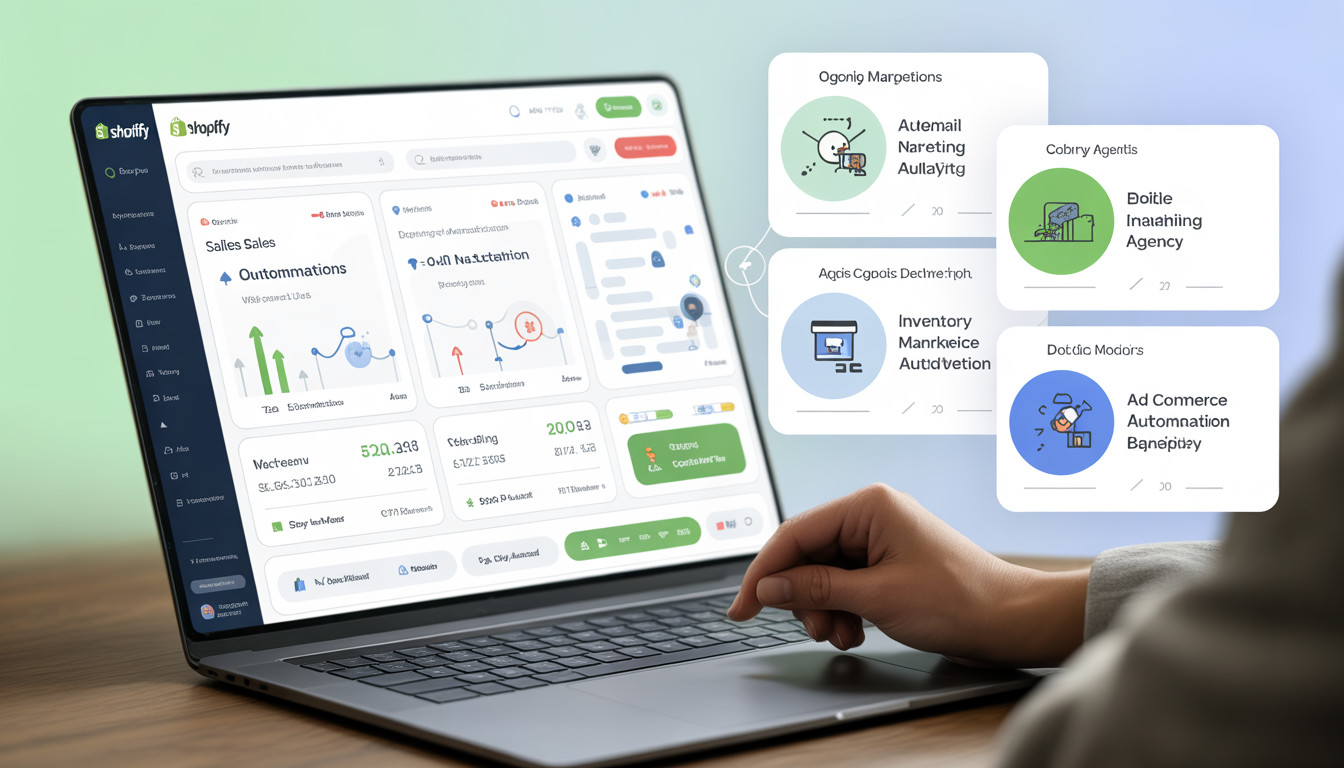
Shipping is one of the biggest pain points for online stores in Bangladesh. Delays, wrong addresses, and missing packages can ruin customer trust. Shipping automation can solve these issues.
Shipping is complex: you have to select the right courier, print accurate labels, track deliveries, and handle returns. Each manual step increases the risk of mistakes. Automation smooths out these challenges.
Generates Shipping Labels: Automatically create and print labels with customer details.
Selects Best Courier: Chooses the fastest or cheapest shipping company based on rules you set.
Tracks Shipments: Sends tracking numbers to customers without you lifting a finger.
Handles Returns: Makes it easy for customers to request returns and creates labels for them.
Let’s add more detail:
Automatic Label Generation:
The system pulls customer data directly from the order, so there are no typos or missing information. Some tools even let you choose the label size or format to match your packaging.
Courier Selection:
If you work with several delivery companies (e. g. , Sundarban, Pathao, RedX), automation can pick the best option for each order. For example, heavy packages might go with the cheapest courier, while urgent orders use the fastest one. This saves money and improves delivery speed.
Shipment Tracking:
Customers want to follow their order’s journey. Automated systems generate tracking links and send them via SMS or email. You can even set up alerts if a package is delayed, so you can notify customers before they complain.
Return Handling:
Returns are a normal part of e-commerce, but can be a headache if managed manually. Automation allows customers to request returns online, and the system creates return labels and tracks the process. This makes returns smooth for both you and your buyers.
ShipStation: Integrates with major Bangladeshi couriers and global carriers. It offers automation rules for packaging, courier choice, and notification messages.
Easyship: Good for cross-border shipping. It calculates duties and taxes automatically and chooses the best international shipping options.
ShurjoMukhi: Local platform with automation features for Bangladesh, supporting local couriers and payment systems.
You can also find courier-specific tools (like RedX’s API) to connect directly with your online store.
Most stores automate shipping only after the order is placed. But you can set up automation to pre-select packaging, group orders going to the same area, or even flag risky addresses to prevent fraud.
For example, if you get five orders from the same apartment building on the same day, automation can group them to save on shipping costs. Or, if an address is incomplete or flagged by your courier, the system can hold the order and ask the customer for correction before shipping.
Another tip:
Automate COD (cash-on-delivery) reminders. In Bangladesh, many customers use COD, but sometimes they refuse delivery. Automated SMS reminders before delivery can reduce failed deliveries and save you money.
Here’s a comparison of shipping automation features for Bangladeshi e-commerce businesses:
|
Platform |
Label Printing |
Local Courier Integration |
Order Tracking |
Return Automation |
|---|---|---|---|---|
|
ShipStation |
Yes |
Limited |
Yes |
Yes |
|
Easyship |
Yes |
No |
Yes |
Partial |
|
ShurjoMukhi |
Yes |
Yes |
Yes |
No |
Always test your shipping automation with a few orders before rolling it out for all customers. Look for errors in label printing and tracking links, especially with local couriers.
Also, review your packaging sizes and courier rules regularly. As your product line grows, you may need to adjust automation rules to optimize shipping costs and reduce damage during transit.
Non-Obvious Tip:
Use automation to collect delivery feedback. After each order is marked as delivered, send a short survey by SMS or email. This helps you spot courier problems early and improve your service.
As your business grows, tracking finances manually becomes risky. Missed invoices or tax errors can cause big problems. Accounting automation ensures your books are always up-to-date and accurate.
In Bangladesh, where VAT, local taxes, and bank transactions can get complicated, automating your accounting process is even more important.
Sales and Expense Tracking: Automatically records every sale and expense.
Invoice Generation: Sends invoices to customers and reminders for overdue payments.
Tax Calculation: Calculates VAT and other taxes based on your location.
Bank Reconciliation: Matches sales and expenses with your bank statements.
Let’s explore each automation area:
Sales and Expense Tracking:
Every sale from your website, Facebook page, or marketplaces is automatically recorded in your accounting system. Similarly, expenses like shipping fees, supplier payments, and advertising are tracked without manual entry.
Invoice Generation:
For B2B or higher-value sales, your system can generate professional invoices with all legal requirements. If a payment is late, automated reminders go out to the customer, reducing missed payments.
Tax Calculation:
Tax rules can change, and mistakes are costly. Automation applies the correct VAT or sales tax rate to each order, depending on the product and the customer’s location.
Bank Reconciliation:
At the end of the week or month, your accounting tool can match transactions in your bank account with sales and expenses in your system. This makes it easy to spot missing payments or double charges.
QuickBooks: Popular for small businesses with strong automation features. It can connect to your bank and e-commerce platform, and generates useful reports.
Xero: Cloud-based, integrates with many e-commerce platforms. It offers real-time financial dashboards and automatic tax calculations.
Zoho Books: Affordable option, good for Bangladeshi businesses. It supports local currencies and payment gateways.
Some local companies also offer basic accounting automation for the Bangladeshi market, but international tools tend to have more advanced features.
Every time you receive an order, your system logs the sale, calculates the tax, and sends an invoice—all automatically. At the end of the month, you can export a report for your accountant in minutes.
For example, a business selling electronics might have dozens of suppliers and hundreds of sales each month. With automation, every transaction is tracked, categorized, and matched to the correct invoice. No more searching through piles of paper or spreadsheets.
You can set up automation to flag unusual spending or sudden drops in sales. This helps you spot fraud or cash flow problems early, before they become serious.
Another valuable tip: automate the collection of receipts and bills from your suppliers. Some tools let you take a photo of a bill or forward an email, and the system records the expense automatically. This saves time and ensures your accounts are always accurate.
Extra advice:
Automate currency conversion if you deal with international suppliers or customers. This keeps your accounts in sync with real-world values and helps with budgeting.
Moving to automation is not just buying software. It’s about redesigning your workflow to be more efficient and error-free. Here’s how to get started:
Write down every step from order to delivery. Identify where you spend the most time or where mistakes often happen. These are the best places to start automating.
Involve your team in this process. Sometimes, staff know about issues or bottlenecks you might overlook. Document not just the “official” process, but what people really do every day.
Pick tools that fit your business size, platform (like Shopify or WooCommerce), and local needs. For Bangladeshi stores, make sure tools support local payment methods and couriers.
Don’t be swayed only by international brands. The best tool is the one that fits your needs and budget, and works smoothly with your existing systems. Many tools offer free trials or demos—use them to test before you commit.
Connect your store, inventory, shipping, and accounting tools. This ensures data moves smoothly between systems. For example, when a product sells, inventory and accounts update instantly.
If you use different platforms (like selling on your own site and Facebook Shop), make sure your tools can sync data across all channels. This avoids double-selling or data gaps.
Don’t automate everything at once. Start with one area—like order processing or email marketing. Test, fix any issues, then expand to other areas.
Create a checklist for each automation:
Does it work on all devices?
Are notifications clear and accurate?
Do reports show correct data?
Gather feedback from staff and customers. If anything feels confusing or doesn’t work, adjust before rolling out to everyone.
Set up alerts for errors or failed automations. Regularly check reports and customer feedback to spot areas for improvement.
Automation is not “set and forget. ” Business conditions, customer needs, and technology change. Review your systems monthly or quarterly. Add new automation as your business grows.
A Bangladeshi electronics retailer automated their order and shipping process. Before, they needed five staff to manage 100 orders per day. After automation, the same team could handle 500+ orders, with fewer mistakes and happier customers.
They started by automating order confirmation emails and inventory updates. Once that worked, they added shipping label generation and automatic courier selection. Now, they plan to automate customer support with chatbots.
Extra Insight:
Start automating the tasks you dislike most or that cause the most errors. This creates quick wins and motivates your team to support the change.
If you want your online store to grow beyond Bangladesh—or even just handle big local sales volumes—scalability matters. Automation makes it easy to scale up without losing quality or customer satisfaction.
Scalability means your systems can handle more orders, products, and customers, without slowing down or breaking. Manual processes reach their limits quickly, but automation grows with you.
Flexible Inventory Management: Automatically updates stock across multiple sales channels (your store, Facebook, marketplaces).
Smart Order Routing: Sends orders to the right warehouse or supplier based on customer location.
Automated Customer Support: Uses chatbots or helpdesk software to answer common questions instantly.
Data-Driven Decisions: Automation collects data you can use to improve products, pricing, and marketing.
Here’s more detail:
Flexible Inventory Management:
If you sell on several platforms, you need all your stock numbers to stay in sync. Automation updates all channels instantly when a sale is made, preventing overselling and stockouts.
Smart Order Routing:
If you have more than one warehouse, or if you use dropshipping suppliers, automation sends each order to the best location. This reduces delivery time and shipping costs.
Automated Customer Support:
Chatbots answer common questions about orders, returns, and products, 24/7. This means customers get answers instantly, and your team can focus on more complex cases.
Data-Driven Decisions:
Every automated system collects valuable data. For example, you can see which products sell best in different cities, which marketing campaigns drive the most orders, and which couriers deliver fastest.
Non-Obvious Scaling Insight:
Automation also helps with staff management. As your order volume grows, you don’t need to hire as many new staff, and training is easier because systems guide the process. You can scale your business without scaling your headaches.
Let’s say you want to sell on your own store, plus Amazon and Walmart. Without automation, you’d need to update inventory, prices, and orders manually for each platform. With automation, a single system syncs everything, so you never oversell or delay shipments.
Imagine a promotion where your product goes viral and you sell 1,000 units in a day. Automation makes sure every order is processed, stock numbers are updated everywhere, and customers get updates without delay. Manual systems would collapse under this load.
Here’s how automation helps manage multiple sales channels:
|
Sales Channel |
Manual Process |
With Automation |
|---|---|---|
|
Own Website |
Update inventory, process orders by hand |
Inventory sync, auto order routing |
|
Amazon |
Manual listing, manual stock updates |
Listings and stock auto-updated |
|
Walmart |
Manual price changes, manual order emails |
Automated pricing and order sync |
Pro Tip:
If you’re planning to expand to new markets or platforms, set up automation before you launch. It’s much easier to start with scalable systems than to fix problems later.

Selling on Amazon or Walmart brings big opportunities for Bangladeshi sellers, but also more complexity. Amazon automation and Walmart automation e-commerce tools can help manage listings, stock, and orders across these platforms.
These marketplaces have strict rules and high customer expectations. Automation helps you meet their standards and avoid penalties.
Product Listings: Bulk upload and update product details.
Price Adjustments: Automatically change prices based on competition or inventory.
Inventory Sync: Keeps stock levels accurate across all platforms.
Order Fulfillment: Routes orders to the right warehouse or dropshipper.
Product Listings:
Instead of adding products one by one, automation lets you upload hundreds or thousands of items at once. If you need to change a price or description, you can update all listings in seconds.
Price Adjustments:
Prices on Amazon and Walmart change fast. Automated tools can track your competitors’ prices and adjust yours to stay competitive, or increase prices when you’re the only seller left in stock.
Inventory Sync:
If you sell the same products on your own site, Amazon, and Walmart, automation keeps all stock numbers accurate. When a product sells on Amazon, it’s removed from all other platforms automatically.
Order Fulfillment:
Some systems can print labels, notify warehouses, and send tracking numbers to customers on all platforms at once. This is essential for high-volume sellers.
Both Amazon and Walmart have strict rules. Use only trusted automation tools to avoid breaking marketplace policies. Some sellers make the mistake of using cheap, unofficial software, which can get their accounts suspended.
Always check that your automation provider is an official partner or has a good track record with these marketplaces. Read reviews and ask for references.
Non-Obvious Tip:
Automate review requests and feedback management. On Amazon, positive reviews are essential for ranking higher and building trust. Automation can send requests at the right time, boosting your review count without manual effort.
A Bangladeshi household goods seller uses automation to manage 2,000 products on both Amazon and Walmart. When a product sells out on one channel, automation removes it from all other channels to prevent overselling. This saves time and protects their reputation.
They also use price monitoring tools that automatically match or beat competitors’ prices. As a result, they win the “Buy Box” more often, leading to higher sales.
Extra Advice:
Set up alerts for negative reviews or order problems. Automation tools can notify you instantly so you can respond quickly and protect your seller rating.
Workflow means the step-by-step process your business uses to handle sales, orders, and customer service. Automation can make every part smoother and faster.
Optimizing workflow is about removing friction and delays. Automation replaces manual steps with reliable, instant actions.
Automate Repetitive Tasks: Anything you do more than five times a day is a good candidate.
Use Centralized Dashboards: Track orders, inventory, and customer data from one place.
Set Up Alerts: Get notified if orders fail, stock is low, or payments are delayed.
Automate Reporting: Schedule daily or weekly reports for sales, returns, and expenses.
Automate Repetitive Tasks:
Start by listing all the tasks you and your team do every day. Use automation for things like order confirmations, shipping label generation, stock updates, and routine emails.
Centralized Dashboards:
Instead of checking multiple apps and spreadsheets, use a dashboard that shows orders, stock, and customer info in one place. This saves time and helps you spot problems early.
Set Up Alerts:
Don’t wait for customers to report problems. Automation can alert you if an order fails, stock is running out, or a payment is missed. This lets you react quickly and avoid bigger issues.
Automate Reporting:
Manual reporting is slow and often inaccurate. Automation tools can send you daily sales summaries, low-stock alerts, and expense reports, so you always know what’s happening.
Non-Obvious Workflow Tip:
Automate fraud detection. Use tools that flag suspicious orders (like large orders from new accounts or mismatched addresses) before you ship. This reduces lost revenue from chargebacks.
You can also automate workflow between different teams. For example, when customer service marks a ticket as “solved,” automation can send a survey to the customer and update their profile.
Don’t forget to automate customer feedback collection. After each order, send a request for a review. This boosts trust and helps you improve your service.
You can also automate follow-up messages based on customer behavior:
If a customer hasn’t ordered in three months, send a “We miss you” email with a special offer.
If a customer always orders the same product, send a reminder when it’s likely time to reorder.
Another tip:
Automate staff reminders and task assignments. For example, when a return is requested, the system can assign the task to the right team member automatically.
Setting up automation can be complex, especially if you sell on multiple platforms or have a growing team. That’s where an ecom automation agency can help.
Automation agencies bring deep experience with e-commerce systems and workflows. They know the best tools, common mistakes, and how to tailor solutions to your business.
Evaluates Your Business: Finds the tasks and processes that will save you the most time and money with automation.
Recommends Tools: Suggests the best software for your needs and budget.
Customizes Workflows: Sets up automation to fit your exact business, not a “one size fits all” approach.
Integrates Systems: Connects your website, inventory, shipping, and accounting.
Offers Ongoing Support: Fixes problems and updates your automation as you grow.
An agency can also train your team, document new processes, and provide ongoing advice as your business changes.
Non-Obvious Value:
Agencies often spot hidden bottlenecks or risks in your workflow. For example, they may identify that your manual refund process is leading to lost sales or that your order system is vulnerable to fraud. Fixing these issues pays for itself many times over.
If you’re spending hours daily on repetitive tasks.
If you want to expand to new sales channels (like Amazon or Walmart).
If your team struggles with errors or missed orders.
If you’re not sure which tools to choose or how to set them up.
Also, consider an agency if you’ve tried automating yourself but run into roadblocks, or if you want to free up your time to focus on product and growth.
A growing fashion brand in Dhaka hired an ecom automation agency to connect their Shopify store, local warehouse, and accounting system. Order errors dropped by 70%, and staff could focus on new product launches instead of admin work.
The agency also helped set up advanced marketing automation, increasing repeat purchases by 40%. Their ongoing support meant problems were fixed quickly, without long delays.
Non-Obvious Agency Role:
Agencies can help you prepare for big events, like holiday sales or product launches, by stress-testing your systems and making sure automation can handle peak demand.
If you want a reliable partner for e-commerce automation in Bangladesh, Bizmation (bizmation.io) is a smart choice. They offer solutions designed for local and international online businesses.
Bizmation understands the unique challenges of the Bangladeshi market—such as local payment gateways, courier services, and compliance rules. They build solutions that work seamlessly with your existing systems, whether you’re a startup or a large retailer.
Inventory Management: Bizmation keeps your stock levels accurate across all your sales channels. No more overselling or out-of-stock mistakes.
Fraud Order Filtering: Their system automatically checks for risky orders and flags them before you ship. This protects your profits.
One-Click Landing Pages: Launch new products or campaigns quickly with ready-to-use landing pages, without hiring a developer.
Order Processing: Automates the full order flow, from confirmation to shipping and customer updates.
Easy Integration: Works with Shopify, WooCommerce, Amazon, Walmart, and local Bangladeshi platforms.
Scalable Solutions: Whether you’re just starting or already handling thousands of orders a month, Bizmation’s tools grow with you.
Local Support: Their team understands the unique needs of Bangladeshi businesses, including local payment gateways and couriers.
Non-Obvious Feature:
Bizmation also offers analytics dashboards tailored to Bangladeshi businesses. This means you can track cash-on-delivery performance, courier delays, and regional sales trends in real time.
A Dhaka-based electronics retailer used Bizmation to automate their product launches. With one-click landing pages and inventory sync, they reduced launch time from 2 weeks to just 3 days. As a result, they captured more sales during big promotions and avoided stock issues.
Another client, a fashion brand, used Bizmation’s fraud detection to reduce fake orders by 80%. This saved them thousands of taka each month and improved their relationship with courier partners.
Here’s how Bizmation’s automation compares to doing things by hand:
|
Task |
Manual Process |
With Bizmation |
|---|---|---|
|
Inventory Updates |
Daily spreadsheet checks, manual entry |
Automatic sync, real-time updates |
|
Fraud Detection |
Manual review, often missed |
AI-powered, instant flagging |
|
Landing Page Creation |
Hire developer, takes days |
One-click setup, ready in minutes |
|
Order Tracking |
Manual emails to customers |
Automated notifications |
Saves You Hours Every Week: Spend more time on strategy and growth, less on admin.
Reduces Costly Mistakes: Automation means fewer errors and happier customers.
Smart Growth: Add new products, sales channels, and markets easily.
Local Expertise: Solutions built for Bangladeshi business realities.
Bizmation also provides ongoing training and support, so your systems stay up-to-date as your business evolves.
For more on e-commerce automation best practices, see this Shopify Enterprise Guide.
E-commerce in Bangladesh is changing fast. Customers expect quick service, accurate orders, and instant updates. Manual processes simply can’t keep up. By investing in e-commerce automation, you’re building a business that can grow, compete, and succeed—no matter how busy things get.
Don’t wait until mistakes or delays hurt your reputation. Start automating today. With the right tools and partners, you can work smarter, not harder.
Automation is not just a short-term fix—it’s a long-term investment in your business. As online shopping continues to grow in Bangladesh and globally, automated systems will let you serve more customers, introduce new products faster, and adapt to market changes with less stress.
Non-Obvious Final Advice:
Start small, but think big. Automate one task at a time, but design your systems so they can grow as your business grows. Look for tools and partners—like Bizmation—that will support you now and in the future.
Ready to take your online store to the next level? Automate your e-commerce with Bizmation for smarter growth, fewer errors, and more profits.
E-commerce automation is using software and technology to perform routine tasks in your online business—like order processing, inventory updates, and customer emails—without manual effort. This saves time, reduces mistakes, and helps your business grow.
Automation goes beyond just sending emails. It can handle almost every repetitive task: updating inventory, printing shipping labels, tracking returns, and even managing your finances. The goal is to free up your time for bigger decisions and creative work.
Automation lets Bangladeshi businesses handle more orders with fewer staff, serve customers faster, and reduce costly mistakes. It also supports local payment systems and couriers, which is important for this market.
By automating, you can:
Respond instantly to new orders (customers love speed)
Avoid selling products you don’t have (protects your reputation)
Manage cash-on-delivery orders more efficiently
Collect and analyze data to improve your products and marketing
Yes. Many automation tools (and agencies like Bizmation) support Amazon automation and Walmart automation e-commerce. These systems keep your listings, stock, and orders in sync across all platforms, saving you hours of manual work.
Just be sure to use trusted tools that follow the rules of each marketplace. Automation also helps you manage reviews, handle returns, and track your performance more easily.
Costs vary based on your business size and needs. Many tools offer free trials or low-cost plans. Using an e-commerce automation agency can save you money in the long run by reducing mistakes and manual labor.
Think of automation as an investment. The time and money you save can quickly cover the cost of the software or agency. Plus, you get happier customers and more repeat sales.
Start by mapping your workflow and identifying repetitive tasks. Choose automation tools that fit your store and market. Test on a small scale, then expand. For expert help, consider a partner like Bizmation to set up and support your automation.
Don’t try to automate everything at once. Begin with the areas that take the most time or cause the most errors. Listen to your team and customers, and keep improving your systems.
---
With the right approach, automation is within reach for every Bangladeshi online business owner. Take action today, and watch your business grow smarter and faster.

