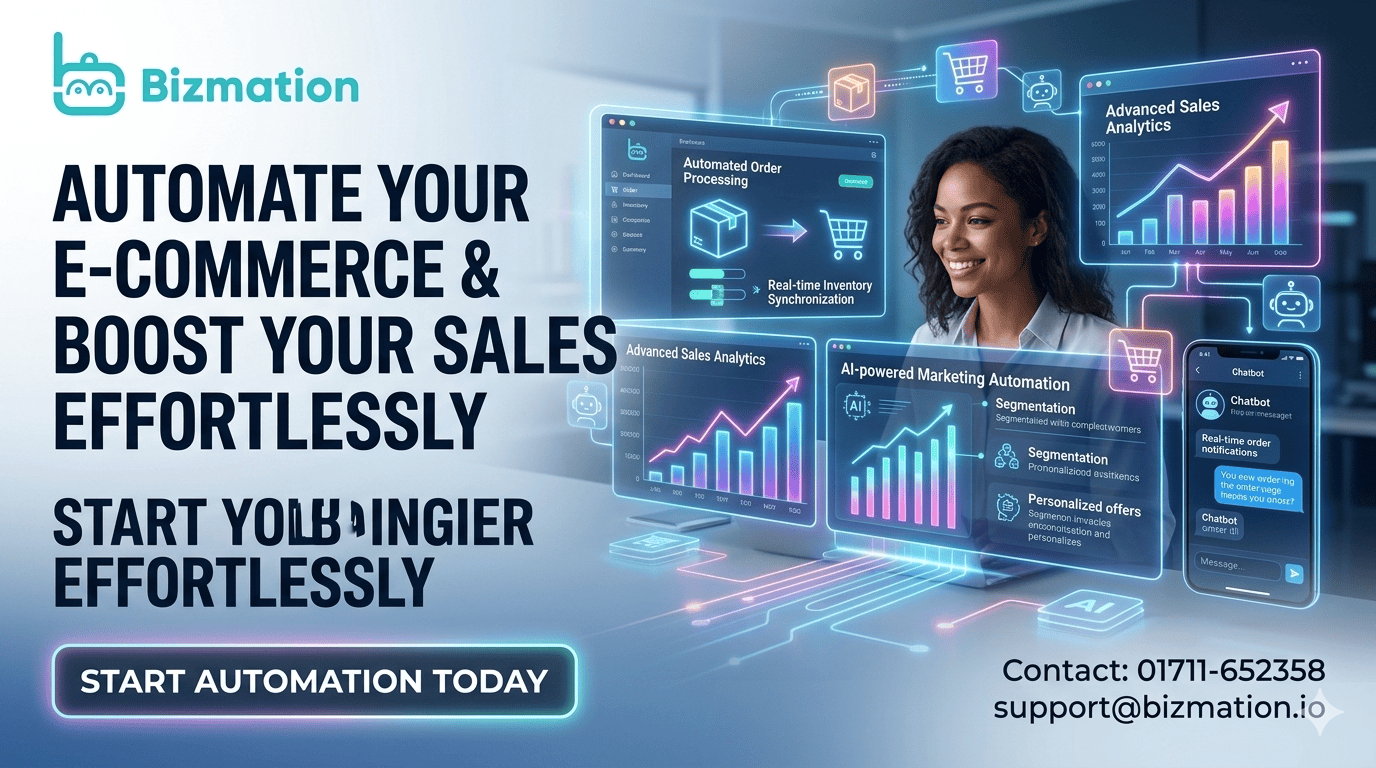
Running an online business in Bangladesh is both exciting and challenging. Every day, thousands of new entrepreneurs launch e-commerce stores. But as orders grow, so do the tasks—processing sales, sending emails, managing inventory, and handling accounts can quickly become overwhelming.
Many business owners end up spending more time on routine work than on growing their business.
This is where e-commerce automation changes the game. By using smart tools and software, you can automate many daily tasks in your online store. This saves hours every week, reduces costly mistakes, and helps you earn more profit with less stress.
If you look at the fastest-growing Bangladeshi stores, you’ll notice a common pattern: they all use automation to handle daily operations. Instead of being buried in paperwork or stuck answering the same customer questions, these businesses use software to run like clockwork. The owners spend their time on high-impact activities—finding new markets, improving products, or building partnerships. Meanwhile, the routine work happens in the background, with much less effort and fewer errors.
E-commerce automation is not only about working less—it’s about working smarter. It helps new business owners compete with large companies, even with limited resources. Customers get faster service, accurate information, and a better shopping experience. As your reputation grows, so does your business.
Let’s dive deep into what e-commerce automation really is, how it works, and how you can use it to build a more efficient, scalable, and profitable e-commerce business in Bangladesh.
E-commerce automation means using software or apps to do repetitive tasks in your online store automatically. Instead of doing everything by hand, you set up tools that work for you 24/7. For example, when a customer places an order, your system can send a confirmation email, update your inventory, and notify your delivery partner—without any manual work.
Think of automation as a smart assistant that never sleeps. It handles the boring, time-consuming parts of your business so you can focus on what matters most—such as product development, customer service, or expanding into new markets.
Let’s break down what automation can look like in a real Bangladeshi e-commerce business:
A customer adds products to their cart but doesn’t buy. The system waits 1 hour, then sends a gentle email reminder with a discount code.
As soon as payment is confirmed, the order details go to your warehouse team and a delivery label is created—no need to check each order.
At the end of each day, your inventory and sales data are synced across your website, Facebook Shop, and Daraz store.
Your accountant receives a daily email with sales, refunds, and expenses—already formatted for tax filing.
E-commerce automation is not just about saving time. It improves the customer experience, reduces human errors, and allows you to focus on big-picture decisions. Whether you sell on your own website, Facebook Shop, or large platforms like Amazon and Walmart, automation can boost your business.
Saves time: No more repeating the same task 100 times. For example, you can send hundreds of order confirmation emails instantly—no copy-paste, no missed messages.
Reduces errors: Less manual data entry means fewer mistakes. Automation checks for missing addresses or mismatched payments, which reduces failed deliveries and unhappy customers.
Improves efficiency: Your store works faster, especially during busy seasons like Eid or Black Friday. Automation can handle thousands of orders in the time it would take you to process just a few.
Increases profits: Lower costs and faster service mean better margins. You spend less on staff and make fewer refunds for mistakes.
Scales easily: Handle more orders without hiring more people. Automation grows with your business, letting you sell more products on more platforms without extra stress.
Data insights: Automated tools collect and analyze data you might never see. For example, you can quickly spot which products are selling best or which ads bring the most customers.
Employee satisfaction: When your team spends less time on boring, repetitive work, they’re more motivated and productive. This reduces staff turnover and training costs.
Let’s look at the main areas where automation brings the biggest results for Bangladeshi online business owners.
Marketing is the engine of every online business. But personalizing messages, sending newsletters, and running ads can eat up your day.
With marketing automation tools, you can:
Send automated email campaigns: Welcome new subscribers, follow up with buyers, or remind customers about abandoned carts. These emails can be personalized with the customer’s name, past purchases, or even birthdays.
Segment your audience: Send different offers to people based on their behavior, like past purchases or location. For example, you can send winter clothing ads only to customers in Dhaka and Sylhet, where the weather is colder.
Schedule social posts: Plan and automate your Facebook, Instagram, or WhatsApp posts for the week. This keeps your brand visible, even when you’re busy.
Track campaign results: See what’s working without digging through spreadsheets. Good tools show open rates, clicks, sales from each campaign, and even customer lifetime value.
For example, if a customer abandons their cart, an automated email can remind them to complete the purchase. This simple action can recover up to 10-15% more sales.
An online jewelry shop in Chittagong set up abandoned cart emails. Before automation, they lost about 30% of potential sales to cart abandonment. After sending personalized reminders, they recovered 18% of lost sales in just 3 months—without any extra marketing spend.
Mailchimp: Great for email marketing. You can design beautiful emails, set up automated sequences, and track results.
Omnisend: Combines email, SMS, and push notifications. Useful for reaching customers on different platforms.
Facebook Business Suite: Schedules and manages social media posts. You can plan all your Facebook and Instagram content for the week in one session.
Bizmation: Offers one-click landing pages to boost conversions. Especially useful for flash sales or special campaigns.
A/B testing: Automation tools let you test two different messages or images to see which works better. This increases sales without guessing.
Birthday offers: Automatically send a special discount or gift to customers on their birthday—builds loyalty and drives repeat sales.
Order management is the heart of every e-commerce store. Manual order processing leads to slow service and mistakes.
Order automation tools can:
Auto-confirm orders: Send instant order confirmation emails or SMS. Customers get peace of mind right away.
Update stock: Adjust inventory as soon as an order is placed. This prevents overselling and refunds.
Route orders: Assign orders to the right warehouse or delivery partner. For example, orders from Sylhet go to your Sylhet warehouse, not Dhaka.
Filter suspicious orders: Detect and block fraudulent orders automatically. The system can flag orders with mismatched addresses, fake phone numbers, or high-risk payment methods.
Faster order processing keeps customers happy and reduces refund requests.
A Bangladeshi online clothing store uses order automation to process 200+ orders daily. With auto-updated inventory and order routing, they reduced delivery errors by 40% and improved their customer reviews.
Order grouping: Automation can combine orders from the same customer into one shipment, saving on delivery costs.
Urgent order handling: If a VIP customer places an order, the system can alert your team to prioritize it.
Shipping is often the most complex part for Bangladeshi e-commerce owners. Delays, wrong addresses, and tracking confusion can hurt your reputation.
Shipping automation solves these problems by:
Generating shipping labels: Create and print labels automatically for every order. No need to fill out forms by hand.
Tracking shipments: Send customers real-time tracking updates. They can see where their package is at every step.
Choosing best delivery partner: Automatically select between Sundarban, Pathao, or other couriers based on price and speed. This reduces delivery time and costs.
Notifying customers: Alert buyers about order status changes instantly—order received, shipped, out for delivery, or delivered.
This automation ensures orders reach customers faster and with fewer mistakes.
Many small businesses in Bangladesh still print shipping labels by hand or use WhatsApp to inform customers. Automating these steps with a tool like Bizmation can save hours each week and reduce manual errors that lead to lost parcels.
Address verification: Automated tools can check if the customer’s address is valid before shipping, avoiding failed deliveries.
Delivery performance tracking: Some tools show which couriers deliver fastest or have the fewest lost parcels, helping you choose the best partners.
Accounting is a headache for most business owners. Manual bookkeeping is slow and error-prone.
Automated accounting tools:
Sync sales data: Automatically record every sale and expense. This means no more late nights copying numbers into Excel.
Generate reports: Get instant profit and loss statements, tax reports, or inventory valuation. You always know where your money is going.
Reconcile payments: Match cash received with bank entries quickly. This reduces the risk of fraud or missed payments.
Detect anomalies: Spot unusual transactions for fraud prevention. For example, the system can alert you to duplicate refunds or fake expenses.
With automation, you avoid tax mistakes and always know your financial health.
An online electronics shop in Dhaka uses accounting automation to generate monthly VAT reports. This reduced their accountant’s workload by 60% and helped them avoid late tax penalties.
Expense tracking: Automatically categorize expenses (like advertising, shipping, or packaging) for better cost control.
Multi-currency support: If you sell internationally, automation tools can convert sales to BDT and track exchange rates for you.
Attach receipts: Some tools let you attach digital receipts to expenses, making audits and tax filing simple.
Managing stock is critical in e-commerce. Overselling products you don’t have leads to unhappy customers. Overstocking ties up your cash.
With inventory automation, you can:
Track stock in real-time: Know exactly how many items you have at all times. No more guessing or manual counts.
Auto-update across channels: Sync inventory between your website, Facebook Shop, and marketplaces like Daraz or Amazon. If you sell an item on one platform, it’s marked as sold everywhere.
Set reorder alerts: Get notified when items run low. You’ll never run out of best-sellers.
Prevent overselling: Mark items as “out of stock” automatically so customers can’t order unavailable products.
Here’s how manual tracking compares to automation:
|
Feature |
Manual Inventory |
Automated Inventory |
|---|---|---|
|
Update Speed |
Slow (hours/days) |
Instant (real-time) |
|
Error Rate |
High (prone to mistakes) |
Low (system-controlled) |
|
Stockouts |
Common |
Rare |
|
Overselling Risk |
High |
Very Low |
|
Time Spent |
Several hours/week |
Minutes/week |
Dead stock alerts: Automation can alert you if items haven’t sold in months, so you can run promotions or clear them out.
Batch tracking: For perishable goods (like cosmetics or food), systems can track expiry dates and warn you to sell old stock first.
A household goods store in Rajshahi switched to automated inventory management. In the first three months, they stopped overselling out-of-stock items, reduced customer complaints by 80%, and freed up enough cash to launch two new product lines.
The biggest reason to automate is to save time. For many Bangladeshi e-commerce owners, handling everything manually limits growth. By automating:
You process more orders in less time. If you receive 100 orders a day, automation can process them all in minutes—not hours.
You reduce errors that lead to refunds or bad reviews. Automation checks for mistakes, so fewer orders are wrong or delayed.
You free up hours for marketing or product research. With less “busy work,” you can focus on growing your business.
Profit margins improve when costs fall and customers are happier. Fast service attracts repeat buyers and positive word-of-mouth.
Many business owners think automation is only for large companies. But even a small store selling just 20 orders a day can save several hours weekly by automating emails, orders, and inventory.
Suppose you save 2 hours per day with automation. Over a month, that’s 60 hours. If your time is worth 500 BDT per hour, that’s 30,000 BDT saved—enough to fund new ads or buy better packaging.
The biggest hidden cost in manual work isn’t just time or money—it’s lost opportunities. When you’re stuck updating Excel sheets, you miss out on launching new products, building partnerships, or researching new trends. Automation gives you back this opportunity.
If you’re starting from scratch or want to upgrade your current store, here’s a step-by-step approach:
Choose the right platform: Use a robust e-commerce platform like Shopify, WooCommerce, or a local solution that supports automation tools. Look for platforms with strong support, local payment options, and integration with Bangladeshi couriers.
Integrate automation tools: Connect your store to email marketing, inventory, and shipping automation apps. Make sure the tools work well together and support your language and currency.
Set clear workflows: Decide which tasks you want to automate—order processing, email follow-ups, stock updates, etc. Document your steps so you know what happens at each stage.
Test and refine: Always test your automations to ensure they work correctly. Adjust settings as your business grows or when you add new products or channels.
Monitor performance: Use dashboards to track time saved, reduced errors, and increased sales. Review reports weekly to spot problems early.
A customer places an order on your Shopify store. Your automation system:
Sends an order confirmation email instantly.
Updates inventory across all channels.
Generates a shipping label with the best courier.
Sends the customer a tracking number.
Updates your accounting software with the sale.
You don’t touch a thing, but your business keeps moving.
Customer segmentation: Automatically tag repeat buyers or high-value customers for special offers.
Supplier reordering: When stock runs low, your system can auto-send a purchase order to your supplier.
Returns processing: Handle return requests and refunds with automated workflows.
If you use local platforms like ShopUp or Pickaboo, check for built-in automation features. Many local providers now offer integrations with couriers, payment gateways, and inventory tools designed for Bangladeshi businesses.
Automation works best when you plan carefully. Here are some proven tips for Bangladeshi e-commerce owners:
Don’t try to automate everything on day one. Begin with the most repetitive tasks—like order emails or inventory updates. Expand as you grow confident.
Start by automating order confirmation emails. Once you’re comfortable, add abandoned cart reminders, then inventory syncing, and finally shipping label automation.
Choose automation tools that are trusted and have good support in Bangladesh. Cheap or unreliable apps can cause more problems than they solve.
Ask other business owners which tools they use. Join local e-commerce groups on Facebook or WhatsApp to get honest feedback about which tools work well in Bangladesh.
Automate customer notifications at every step: order confirmation, shipping, delivery, and feedback requests. This builds trust and reduces “Where is my order?” messages.
Set up SMS alerts for order status changes. Bangladeshi customers often prefer SMS over email.
Automation is powerful, but it’s not “set and forget. ” Regularly check your systems for errors or missed steps.
Schedule a weekly review. Look for failed orders, missed notifications, or duplicate charges. Fix small issues before they become big problems.
If you have staff, teach them how to use new automation tools. This prevents confusion and ensures smooth operations.
Create simple guides or videos in Bangla to help your staff understand new systems. Hold regular training sessions when you add new features.
Use automation tools that follow strong security practices to protect customer data and your financial information.
Choose tools with two-factor authentication.
Regularly back up your data.
Make sure staff use strong passwords and don’t share accounts.
As your business grows, review your automated workflows. Are there new steps to add? Can you combine or simplify existing steps?
If you add international shipping, update your automation to handle new couriers and customs forms.
Workflow automation connects different parts of your business. For example, when a sale happens, your system can:
Update stock levels.
Notify packing staff.
Print shipping labels.
Record the transaction in accounting software.
This end-to-end automation ensures nothing is missed. It also makes scaling up much easier.
Here’s how automation connects your store’s main steps:
|
Step |
Manual Process |
Automated Process |
|---|---|---|
|
Order Received |
Manually check and confirm |
Auto-confirm and notify |
|
Inventory Update |
Subtract items by hand |
Instant stock adjustment |
|
Packing List |
Write/print for each order |
Auto-generate for staff |
|
Shipping Label |
Fill out or print manually |
Auto-create and print |
|
Customer Notification |
Call or message manually |
Auto-email/SMS updates |
|
Accounting Entry |
Input sale by hand |
Auto-record in software |
This smooth flow reduces waiting time and mistakes at every step.
Multi-channel syncing: When you sell an item on Daraz, your inventory is updated on your website and Facebook Shop. No more overselling.
Packing automation: Your team gets a daily list of items to pack and ship, sorted by courier and location.
Returns workflow: When a customer requests a return, the system generates a return label, updates the inventory, and notifies accounting to process the refund.
VIP customer handling: Automatically flag high-value customers for faster shipping or special packaging.
Order splitting: If an order includes items from two warehouses, the system splits the order and sends instructions to both locations.
Many Bangladeshi sellers now use global platforms like Amazon and Walmart to reach international buyers. These platforms offer their own automation features, but using the right tools can help you sell more with less effort.
Order sync: Orders are automatically imported into your system. No need to copy details by hand.
Inventory sync: Keep stock levels updated across Amazon and your store. Avoid overselling.
Price automation: Tools can adjust prices based on demand or competitor pricing. Stay competitive without daily checks.
Review requests: Automate sending review requests to buyers. More reviews mean more trust and higher sales.
Amazon’s rules change often. Automation tools can help you stay compliant—such as automatically updating product images or descriptions to match new requirements.
Bulk listing: List hundreds of products quickly. Save days of manual work.
Order routing: Assign orders to the right warehouse or fulfillment center. Reduce shipping costs and delivery times.
Sales analytics: Get real-time sales reports. See which products are selling best, and adjust your marketing on the fly.
A Bangladeshi exporter uses Amazon automation tools to manage 1,000+ orders monthly. They save over 30 hours per week, reduce cancellations, and grow their rating with faster delivery and accurate listings.
Look for automation tools that support both English and Bangla. This helps your team avoid mistakes when working with international marketplaces.
For more on global e-commerce automation, you can check Wikipedia's e-commerce page.
If you want to automate but are not sure how to start, Bizmation (bizmation.io) is a top choice for Bangladeshi online businesses. They offer smart, easy-to-use solutions tailored for local needs.
Inventory management: Real-time tracking and syncing across platforms. No more manual updates or overselling.
Fraud order filtering: Detect and block suspicious orders automatically. Reduce lost shipments and fake orders.
One-click landing pages: Create high-converting pages in minutes. Run flash sales or test new products easily.
Seamless integrations: Works with popular platforms like Shopify, WooCommerce, Amazon, and Facebook Shop.
Local support: Get help in Bangla and English. No more struggling with foreign customer service.
Custom solutions: Designed for Bangladeshi taxes, shipping, and payment systems.
Real-time dashboard: Monitor orders, stock, and revenue from one place. Make faster decisions.
Smart notifications: Get alerts for low stock, delivery issues, or payment problems. Fix problems before customers notice.
Bulk actions: Update prices or stock for hundreds of products at once. Perfect for sales or price changes.
Secure data: Protects your business and customer information. Peace of mind for you and your buyers.
Bangladeshi courier integration: Print shipping labels for Sundarban, Pathao, or Paperfly with one click.
VAT and tax support: Automated reports formatted for Bangladesh’s tax system.
Customizable workflows: Adjust automation for your unique business process—no “one size fits all.”
A Dhaka-based fashion retailer partnered with Bizmation. By automating inventory, orders, and shipping, they doubled their daily order capacity and cut processing time by 70%. Their team now spends more time on marketing and customer service.
A home appliance store in Chattogram used Bizmation to connect their WooCommerce store with Daraz and Facebook Shop. They grew from 50 to 300 orders per day without hiring extra staff, and their error rate dropped to near zero.
Even with the best tools, automation can face some hurdles:
Not all tools work together smoothly. Work with an agency like Bizmation that ensures all your apps and systems are connected.
If your inventory tool doesn’t sync with your shipping software, you might ship the wrong items. Make sure you test every integration before you go live.
Some employees may fear job loss or struggle to use new tools. Provide training and show how automation makes their jobs easier.
Involve staff in tool selection and setup.
Show examples of how automation reduces stress and errors.
Offer incentives for staff who learn and use new systems.
Automate routine tasks, but keep the personal touch for important customer interactions—like handling complaints or VIP clients.
Use automation for order updates, but reply personally to angry or confused customers.
Automation relies on good data. Regularly check your product listings, prices, and inventory for errors.
Set up regular data audits—weekly or monthly. Use tools that alert you to missing product images, wrong prices, or duplicate listings.
Some owners worry about the price of automation. But most tools pay for themselves by saving time and reducing costly mistakes.
If automation saves you 10 orders a month from refund or cancellation (worth 500 BDT each), that’s 5,000 BDT saved. Many automation tools cost less than this per month.
To build a business that grows without breaking down, automation must be part of your plan from the start.
Automate early: Set up basic automations as soon as possible. Don’t wait until you’re overwhelmed.
Keep improving: Review and update your systems as your business expands. Add new features when you launch new products or sales channels.
Use data: Let automation tools show you best-selling products, top customers, and problem areas.
Expand channels: With automation, it’s easier to sell on new platforms like Daraz, Amazon, or Walmart.
Stay compliant: Use tools that handle local VAT, taxes, and shipping rules.
A health products business started with just Facebook Shop. By automating inventory and orders, they quickly added their own website and Daraz store. Sales doubled in six months, and they only needed one extra staff member.
|
Aspect |
Manual Growth |
Automated Growth |
|---|---|---|
|
Order Capacity |
Limited by staff size |
Grows with demand |
|
Error Rate |
High as volume increases |
Low, consistent |
|
Customer Experience |
Slow, sometimes inconsistent |
Fast, reliable |
|
Profit Margins |
Shrinks with more staff |
Improves with efficiency |
|
Expansion Speed |
Slow, risky |
Fast, manageable |
Multi-location support: Automation tools can manage stock in multiple warehouses or shops, letting you expand across Bangladesh.
Dropshipping: Automate orders directly to suppliers, so you never handle the products yourself—ideal for testing new items.
Many owners forget to sync inventory and orders between their website, Facebook, and marketplaces. This leads to overselling and angry customers. Always use tools that sync data in real time.
Choose tools with “two-way sync. ” Test by placing test orders on each platform and checking stock levels everywhere.
Some businesses set up automation but never test it properly. This can lead to missed orders or wrong stock levels. Always test your automations with sample orders and review results regularly.
After setting up automation, run a “fake” sale from order to delivery. Check every step—emails, inventory update, shipping label, and accounting entry.
List your repetitive tasks: Write down everything you do daily or weekly—order processing, emails, stock checks, etc.
Pick your top pain point: Choose one area (like order emails or shipping) to automate first.
Choose a tool or agency: Consider Bizmation for easy integration and local support.
Set up and test: Implement automation and run test orders.
Measure results: Track time saved, errors reduced, and customer satisfaction.
Expand automation: Gradually automate more tasks as you grow.
If you’re unsure where to start, talk to other e-commerce owners or join online business groups. Many automation providers offer free trials or demos—try before you buy.
Week 1: List tasks and research tools.
Week 2: Automate one task (like order emails).
Week 3: Add inventory syncing.
Week 4: Integrate shipping and accounting.
Within one month, you can automate 60-80% of routine tasks and start seeing results.
Bangladesh’s e-commerce market is booming. Competition is fierce, and buyers expect fast, reliable service. Automating your store is no longer just an option—it’s a necessity for growth.
Early automation gives you an edge. You serve more customers, make fewer mistakes, and have more time to develop new products or enter new markets. With agencies like Bizmation offering local expertise, there’s never been a better time to start.
Mobile-first shopping: More buyers use phones for shopping. Automation helps you send targeted mobile offers and updates.
Multi-channel selling: Customers expect to buy on Facebook, Instagram, Daraz, and your website. Automation makes multi-channel easy.
Faster delivery: The fastest stores win. Automation cuts processing time so you can deliver same-day in major cities.
Automation is not just about working less—it’s about running a smarter, more professional business. The sooner you start, the further ahead you’ll be.
Ready to future-proof your business? Automate your e-commerce store with Bizmation for faster growth, happier customers, and more profit. Visit bizmation. io and take your business to the next level.
E-commerce automation is the use of software and tools to handle repetitive tasks in your online store—such as order processing, marketing, shipping, and accounting—without manual effort. This saves time, reduces errors, and helps your business run smoothly.
Automation helps you process orders faster, avoid mistakes, and keep customers happy. It also makes it easier to handle more orders as your business grows, without hiring more staff. This leads to higher profits and better customer reviews.
No, even small stores with a few orders per day can benefit. Automating routine tasks like emails, inventory updates, and shipping saves time and reduces stress for any size business.
Look for tools that integrate well with your current platforms (Shopify, WooCommerce, etc. ), offer local support, and fit your budget. Agencies like Bizmation are ideal for Bangladeshi businesses because they understand local needs and provide customized solutions.
Yes, automation tools can sync orders, inventory, and prices between your own store and platforms like Amazon and Walmart. This makes multi-channel selling much easier and more profitable.
Not necessarily. Automation removes boring, repetitive work so your staff can focus on customer service, marketing, or other important tasks. Most businesses see happier, more productive teams after automation.
The cost depends on the tools you choose, but most automation software pays for itself by saving time and reducing costly mistakes. Start with a free trial or basic plan, and upgrade as you see results.
Yes, many automation tools handle returns and refunds. Customers can request a return online, and the system updates inventory and accounting automatically.
Choose tools or agencies with strong local support. Bizmation, for example, offers help in Bangla and English. Test your system regularly and keep backup copies of important data.
Make your next move smarter—automate your e-commerce operations today and let your business grow while you sleep.

