Running an online business in Bangladesh can be exciting, but it’s also full of daily tasks that take up your time. From updating product stock to sending emails and handling orders, there’s a lot to manage. What if you could let software do most of this work for you? This is where e-commerce automation comes in. By automating your online store, you not only free up hours every week, but you also cut down mistakes and boost your profits. In this guide, you’ll learn how automation works, what parts of your business you can automate, and how to build a store that grows on its own. You’ll also see how top platforms like Amazon and Walmart use automation—and why leading agencies like Bizmation are helping Bangladeshi entrepreneurs level up. Let’s discover how to make your e-commerce business smarter, faster, and more successful.
E-commerce automation means using technology to complete business tasks without manual effort. This could be anything from sending emails to customers, updating inventory levels, or processing orders. Instead of doing each step by hand, you set up rules and software does the work for you.
For example, when a customer buys a product, the system can:
Update your stock automatically
Send a thank-you email
Create a shipping label
Alert your warehouse team
This reduces the risk of forgetting something or making mistakes. You save time and your customers get a faster, smoother experience.
Automation can also cover more advanced tasks, like segmenting customers based on their buying behavior, automatically applying discounts, or even pausing ads for out-of-stock products. The power of automation lies in its flexibility—you can start simple and add more rules as your business grows.
Bangladesh’s e-commerce market is growing fast. In 2023, the industry crossed $2 billion in sales and is expected to grow even more. With so many new stores, competition is tough. If you’re still doing tasks manually, you may fall behind. Automation helps you:
Save time: Focus on growing your business, not just running it.
Reduce errors: Let software handle repetitive jobs, avoiding costly mistakes.
Increase profits: Work more efficiently and scale up easily.
There’s another important reason: the Bangladeshi market is dynamic and often price-sensitive. If you can process orders faster, offer better customer service, and respond quickly to changing demand, you will win more loyal customers. Automation can even help you manage cash-on-delivery (COD) orders—very popular in Bangladesh—by tracking payments and reminding couriers, something that’s difficult to manage by hand.
When your store runs smoothly, you keep customers happy and win more sales. Automation also frees you up to focus on marketing, finding new products, or expanding to new channels instead of spending your day on repetitive tasks.
Let’s look at the main parts of an online business that can be automated for better results.
Marketing brings in new customers and keeps old ones coming back. But sending emails, posting on social media, and managing ads every day is time-consuming. With automation, you can set up campaigns that run on their own.
Examples:
Welcome emails: New customers get a friendly message after signing up.
Abandoned cart reminders: If someone leaves without buying, they get a follow-up email.
Personalized offers: Customers receive deals based on their shopping history.
These automated messages can increase your sales by up to 20%, according to industry data. The real power of marketing automation is that it can deliver the right message to the right person at the right time—without you needing to remember every detail.
Tools commonly used:
Mailchimp
Klaviyo
HubSpot
Some platforms even allow you to automate SMS or WhatsApp messages, which are especially effective in Bangladesh, where mobile use is high. For example, you can automatically send a WhatsApp notification for flash sales or back-in-stock alerts.
You can set rules, like “If customer hasn’t shopped in 30 days, send them a special offer. ” This keeps your marketing going, even when you’re busy with other tasks.
Practical insight: Automation lets you test different marketing messages easily. For example, you can automatically A/B test two different welcome emails and see which one gets more clicks, then adjust your future campaigns based on real data.
Order management covers everything from receiving an order to shipping it out. With automation, you don’t need to check your inbox every hour or manually update records.
How does it work?
When a customer places an order, the system:
Confirms payment
Sends an invoice
Notifies the warehouse or supplier
Updates the order status
Some platforms even connect directly with your suppliers or dropshippers. This means once an order is placed, it’s prepared and shipped without you lifting a finger.
Benefits:
Fewer mistakes in shipping addresses or product selection
Faster order processing
Easy to handle more orders as your business grows
Order automation can also help with more complex needs. For example, if you sell items that require customization (like personalized gifts), automation can send the order details and customer notes directly to your production team. This reduces the risk of missing customization instructions.
Extra tip: Automation can also help you identify orders that look suspicious—such as multiple orders from the same address within a few minutes. You can automatically flag these for review, reducing fraud risk.
Shipping can be one of the trickiest parts of e-commerce. You have to calculate rates, print labels, and update tracking numbers. Doing this by hand is slow and invites errors.
Shipping automation lets you:
Automatically choose the best shipping option based on price or speed
Print shipping labels in one click
Send tracking info to customers
For Bangladeshi sellers, integrating with local couriers or global shipping partners is key. Many shipping automation tools connect with Pathao, Sundarban, DHL, FedEx, and more.
Results:
Cut down shipping time by up to 50%
Happier customers who get their packages sooner
Another area where automation helps is in handling returns and exchanges. If a customer requests a return, the system can generate a return label, track the process, and update your inventory once the product is received.
Non-obvious insight: Shipping automation can also help you manage split orders—for example, if a customer orders multiple items that ship from different locations, the system can automatically create the correct number of shipments and keep the customer updated.
Keeping your books in order is essential, but manual data entry is boring and risky. Accounting automation syncs your sales and expenses with your accounting software.
What can you automate?
Daily sales reports
Expense tracking
Invoice generation
Tax calculation
Software like QuickBooks, Xero, and Zoho Books can connect directly to your e-commerce platform. This means you spend less time on paperwork and more time making decisions.
Accounting automation can also help you spot trends, like increases in shipping costs or changes in profit margins. With real-time financial data, you can react faster to problems or opportunities.
Practical example: If your sales spike during a festival, automation ensures your accounts are always up to date, so you don’t have a pile of paperwork waiting after the rush ends.
Besides the main areas above, there are other tasks you can automate for even more efficiency:
Inventory management: Update stock levels in real time to avoid overselling.
Customer support: Use chatbots to answer common questions 24/7.
Fraud detection: Automatically flag suspicious orders.
Returns processing: Create easy workflows for refunds and exchanges.
Inventory automation can also include reorder alerts—when stock drops below a certain level, the system can notify you or even place a purchase order with your supplier. This helps prevent stockouts, which can lose you sales.
Customer support automation doesn’t just mean chatbots. You can also automate things like sending out FAQ answers by email, or automatically escalating complex issues to a human agent. This keeps response times fast, even during busy periods.
Fraud detection systems often use machine learning to spot unusual patterns, like large orders from new customers or mismatched shipping and billing addresses. This extra layer of automation protects your business from costly chargebacks.
Each of these helps you run a smoother, more reliable business.
You might wonder how much difference automation really makes. Here’s a closer look at the benefits.
Manual tasks like sending emails, updating stock, or printing shipping labels can easily take 3–4 hours per day. With automation, these are done in seconds.
Let’s compare the time required for common tasks:
|
Task |
Manual (per day) |
Automated (per day) |
|---|---|---|
|
Order processing |
2 hours |
10 minutes |
|
Email marketing |
1 hour |
5 minutes |
|
Inventory updates |
1 hour |
Instant |
|
Shipping labels |
30 minutes |
5 minutes |
That’s almost 4 hours saved every day, or 100+ hours per month.
But the hidden time savings are even bigger. For example, automation helps you avoid “context switching”—jumping between different tasks. If you don’t have to stop your work to answer a routine email or check stock, you work more efficiently on the tasks that really matter.
And, if you have staff, automation allows them to focus on customer service or business development, not just repetitive data entry.
Manual data entry often leads to mistakes—wrong addresses, double orders, missed emails. Automation uses rules and checks to avoid these problems. For example, an automated system won’t let you sell a product that’s out of stock, or forget to send an invoice.
According to a study by the National Retail Federation, businesses that use automation reduce order errors by more than 60%.
Consider the impact: A single shipping error can cost you not just the price of reshipping, but also the customer’s trust and possible negative reviews. Automation keeps your business reputation strong.
Non-obvious benefit: Automated systems create logs of every action, making it easier to track down problems if they happen. For example, if a customer claims they didn’t get a shipping notification, you can check the system log to confirm the email was sent.
When you save time and reduce errors, your business runs better. Customers are happier, you handle more orders, and you avoid costly mistakes. Automation also lets you scale up—if you get 10 times more orders, your software can handle it without hiring more staff.
One non-obvious benefit: automation gives you better data. You can see which products are selling best, which emails work, and where you’re losing money. This helps you make smarter decisions and grow faster.
Automation also enables you to react to opportunities quickly. For example, if you notice a sudden spike in demand for a particular item, you can automate a promotion or a bulk reorder, capturing more sales before competitors react.
Marketing is the engine that drives e-commerce sales. But doing it all by hand is tough, especially as your customer list grows. Here’s how automation can help you win more customers with less effort.
Email is still the highest converting marketing channel for online stores. But writing and sending every email manually is impossible once you have hundreds or thousands of customers.
What can you automate?
Welcome emails for new signups
Product recommendations based on browsing history
Birthday or anniversary offers
Win-back emails for inactive customers
With tools like Mailchimp or Klaviyo, you can set up these emails once and they’ll keep going.
Practical example: Suppose a customer buys a kitchen appliance. Automation can send them a follow-up email after 2 weeks asking for a review, or suggesting related products like accessories. This increases your chances of repeat sales and useful customer feedback.
Advanced tip: Segment your customer list. For example, send different emails to frequent buyers vs. first-timers. Automation tools can handle this easily, improving results.
Posting daily on Facebook, Instagram, or TikTok helps you stay visible. But remembering to post every day is hard. Social media schedulers let you plan posts ahead of time, so your accounts stay active without daily effort.
Popular tools:
Buffer
Hootsuite
Later
Set up a month’s worth of posts in an hour, and let the software do the rest.
Non-obvious insight: Automation can post at the best times for engagement, which may be different for your audience. You can also use automation to repost your best-performing content, saving time and getting more value from each post.
Paid ads on Facebook, Google, or TikTok can bring in sales, but managing them is complex. Ad automation tools can:
Pause ads that are spending too much
Increase budget for high-performing ads
Split-test different versions automatically
This means your ad spend goes further and you don’t waste money on poor-performing campaigns.
Practical example: You can set a rule to stop any ad with a cost-per-sale over a certain amount, ensuring your advertising remains profitable.
Advanced tip: Some tools allow you to automatically adjust bids based on inventory. If a product is running low, the system can lower your ad budget for that product to prevent overselling.
In Bangladesh, many customers prefer SMS or WhatsApp for updates. Automation can send order confirmations, delivery updates, or special deals straight to their phones.
A practical example: You can set up a rule: “When an order is shipped, send SMS with tracking link.” Customers get instant updates, reducing support questions.
You can also use WhatsApp automation for direct marketing, sending personalized messages to customers who have given permission. This channel often has much higher open rates than email.
Not every visitor buys on their first visit. Automation can show ads or send emails to remind them about your products. This can increase your conversion rate by up to 30%.
Non-obvious insight: Retargeting is even more powerful when you combine channels—for example, showing an ad on Facebook AND sending an email. Automation tools can coordinate this for you.
Practical example: If a customer views a product but doesn’t buy, they can receive a personalized email AND see an ad for that product on social media, increasing the chance of a sale.
Order automation is the backbone of a smooth-running store. If you still process orders by hand, you can easily make mistakes or get overwhelmed as you grow.
As soon as an order is placed, automation systems:
Confirm the payment
Generate an invoice
Send a confirmation email to the customer
No more manual checking or slow responses.
Non-obvious insight: You can customize confirmation emails based on the product or customer type, making the experience more personal and increasing trust.
When an order comes in, your inventory updates instantly. If you sell out of a product, it’s marked as “out of stock” everywhere—on your website, Facebook page, and any other channels.
Why does this matter? Overselling causes customer complaints and negative reviews. Automation helps you avoid this.
Advanced example: If you sell on multiple marketplaces (such as Daraz and your own site), automation ensures stock is always up to date on all channels, preventing double-selling.
For dropshipping or stores with warehouses, automation can:
Send order details directly to your supplier or warehouse
Generate pick-and-pack lists
Update order status when shipped
You don’t have to forward emails or make phone calls.
Practical tip: With automation, you can also track order progress at each step—ordered, picked, packed, shipped—making it easy to spot bottlenecks and improve efficiency.
If you have multiple warehouses or suppliers, automation can split orders. For example, if a customer orders three products and you have them in different locations, the system sends each part to the right place.
This is a hidden advantage: It means faster shipping and fewer delays, even as you expand.
Advanced example: If one warehouse is out of stock, automation can route the order to another location or alert you to reorder, keeping your fulfillment running smoothly.
Handling returns is often a headache. Automation can:
Generate return labels
Track returned items
Update the customer on refund status
This builds trust and keeps customers coming back.
Non-obvious benefit: By automating your returns process, you can collect data on why items are being returned and use this to improve your products or descriptions, reducing future returns.
Shipping is one of the most complex parts of an online business, especially when selling nationwide or internationally. Here’s how automation makes it simple.
Your system can calculate shipping rates instantly, based on:
Customer location
Package weight
Delivery speed
No more manual price checks or overcharging customers.
Advanced tip: You can offer free shipping above a certain order value and have automation apply it automatically, encouraging larger purchases.
With one click, automation tools print shipping labels for all your orders. You can even batch-print for 50 or 100 orders at once.
Practical insight: Many tools let you customize labels with your brand logo or promotional messages, making your packages look professional.
Once shipped, your system sends tracking numbers to customers. They can check delivery status anytime, reducing support calls.
Non-obvious benefit: Automation can also send reminders to customers if their package is delayed, reducing anxiety and improving trust.
Some automation platforms help you choose the best courier for each order. For example, you might use Pathao for Dhaka deliveries, but DHL for international orders.
This not only saves money but also helps you offer faster service to customers in different areas.
Popular options include:
ShipStation
EasyShip
AfterShip
Many Bangladeshi logistics companies now offer API connections so you can automate shipping without custom coding.
Extra tip: Some tools allow you to track COD (cash on delivery) collections and alert you if a payment is delayed, helping with your cash flow.
In Bangladesh, COD is common. Automation tools can:
Track which orders are COD
Send reminders to couriers
Update payment status when cash is collected
This reduces confusion and speeds up your cash flow.
Advanced example: You can set up automatic SMS reminders to customers to prepare the correct amount, reducing failed deliveries.

Good accounting is the backbone of a healthy business. Automation helps you stay on top of your finances without endless spreadsheets.
Connect your store to accounting software, and sales data flows in automatically. Expenses—like shipping fees or advertising costs—can also be tracked without manual entry.
Non-obvious insight: Automated expense tracking can help you spot rising costs quickly, such as increasing courier fees, so you can take action before it impacts your profit.
Invoices are generated and sent to customers as soon as orders are placed. This keeps your records clean and helps with tax filing.
Practical example: For B2B customers, you can automate custom invoice templates, including company details and payment terms.
Tax rules change often and can be complicated. Automation tools can:
Calculate VAT or GST for each order
Separate taxes by region (important for cross-border sales)
Generate tax reports for your accountant
Extra tip: Automation can help you apply special tax rules for export sales or for customers in tax-free zones, reducing compliance headaches.
Accounting software matches sales to your bank statements automatically. This means you always know your real balance.
Non-obvious benefit: Automated accounting gives you real-time insights. You can see daily profit and loss, spot problems early, and make better decisions.
Advanced example: Automation can flag mismatches between bank deposits and sales, helping you spot payment processing errors or fraud.
Moving to automation can feel overwhelming, but you don’t have to do everything at once. Start with the biggest time-wasters and grow from there.
List out everything you do daily or weekly. This could include:
Sending order confirmations
Updating inventory
Posting on social media
Printing shipping labels
Practical tip: Use a time-tracking app for a week to see where most of your time goes. This helps you prioritize which tasks to automate first.
Pick software that matches your business size and needs. For small stores, start with basic tools (like Mailchimp or QuickBooks). As you grow, look for advanced platforms that offer more features.
Example: If you have a small catalog, a simple Shopify app might be enough. For a larger store, you may need a dedicated warehouse management system.
Most tools let you set rules. For example:
“When order received, send to warehouse.”
“When stock falls below 5, alert manager.”
“When customer leaves cart, send reminder email after 1 hour.”
Test your rules to make sure they work as expected.
Advanced tip: Start with simple rules, then build more complex workflows as you become comfortable. Many automation tools allow you to connect different apps (using platforms like Zapier) for advanced scenarios.
Check your automation logs regularly. Look for missed orders, failed emails, or unhappy customers. Adjust your settings as needed.
Practical insight: Set up weekly or monthly reports to review the performance of your automation. This helps you catch problems early and spot opportunities for improvement.
Once you’re comfortable, automate more areas. The more you automate, the easier it is to scale your business.
Pro tip: Don’t try to automate everything at once. Start with marketing or order processing, then add shipping and accounting later.
Non-obvious insight: As you scale, consider automating staff tasks too—like employee scheduling, payroll, or performance tracking. This keeps your whole business running smoothly.
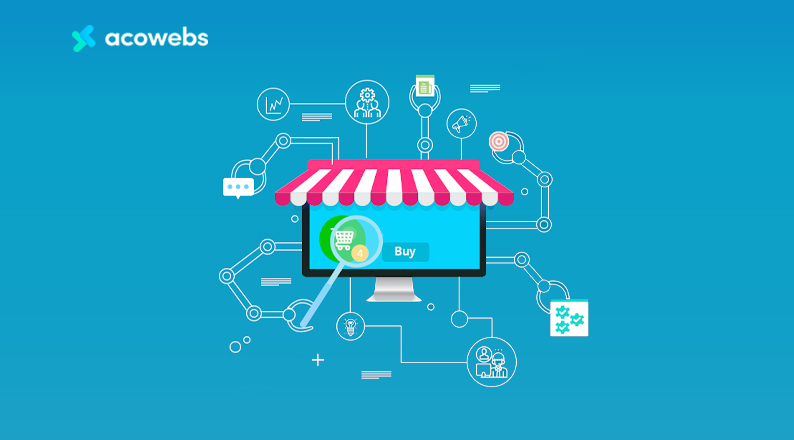
A good workflow is like a well-oiled machine—every part works together without delays. Automation makes your workflow faster and more reliable.
Use tools that let you manage all parts of your business from one place. This could be an e-commerce platform with built-in automation, or a tool that connects your store, marketing, shipping, and accounting.
Practical example: Platforms like Shopify and WooCommerce offer dashboards that show orders, inventory, and marketing data in one view.
With automation, everyone on your team sees the latest info. No more asking “Has this order shipped? ” or “Is this product in stock? ”
Advanced tip: Set up custom dashboards for different team members—your warehouse team sees shipping status, your marketing team sees campaign results, and your accountant sees sales and expenses.
Set up alerts for important events:
Low stock
Failed payments
Negative reviews
This lets you fix problems before they hurt your business.
Practical example: If a product gets multiple negative reviews, automation can alert you instantly so you can investigate the problem and respond to customers.
Here’s what an automated workflow looks like:
Customer places order
System checks payment and updates inventory
Order details sent to warehouse or supplier
Shipping label created and tracking info sent to customer
Sale recorded in accounting software
Follow-up email sent automatically
You only step in when there’s a problem, not for every order.
Non-obvious insight: Automated workflows help you manage seasonal peaks (like Eid or major sales) without getting overwhelmed, because the system scales up automatically.
Automation collects data on every step. You can see which products sell best, where delays happen, and which marketing campaigns work. Use this data to improve your workflow and profits.
Advanced tip: Use automation to create reports that combine data from different sources (sales, inventory, marketing). This gives you a full picture of your business, helping you spot trends and make better decisions.
If you want your store to grow, you need systems that can handle more orders, more customers, and more products—without extra work.
Choose an e-commerce platform that supports automation. Shopify, WooCommerce, and Magento are popular choices. They offer:
App stores with automation tools
Integration with shipping and accounting software
APIs for custom solutions
Practical insight: Look for platforms with strong local support and integrations with Bangladeshi payment gateways and couriers.
Don’t rely on just one tool. Connect marketing, shipping, and accounting software for a full automation stack.
Example: Connect your Shopify store to Mailchimp (for marketing), ShipStation (for shipping), and QuickBooks (for accounting).
Advanced tip: Use integration platforms like Zapier or Integromat to connect apps that don’t work together natively, creating custom workflows for your unique needs.
As your business grows, you may need expert help. Agencies like Bizmation offer advanced automation solutions, from inventory management to fraud detection.
Hidden benefit: Good agencies help you avoid common mistakes and set up automation faster.
Non-obvious insight: Agencies often have access to exclusive tools or early access to new features, giving you an edge over competitors.
Before launching a new automation, test it with a small group of orders. Monitor for errors or delays. Once you’re sure it works, roll it out to your full store.
Practical tip: Use “sandbox” or test modes to experiment with automation without affecting real orders.
With automation, your store can process hundreds or thousands of orders per day, without extra staff. This is how big brands scale up quickly.
Advanced example: Automate your warehouse with barcodes and scanners, reducing picking errors and speeding up fulfillment even further.
Global leaders like Amazon and Walmart are masters of automation. They use advanced systems to process millions of orders daily.
Amazon’s systems automate:
Product recommendations
Order processing
Inventory updates
Shipping and returns
Many Bangladeshi sellers now use Amazon automation tools to manage their stores. These tools help with listing products, syncing stock, and handling customer messages.
Practical insight: Amazon automation tools can also handle pricing changes, automatically adjusting your prices to stay competitive without manual updates.
Walmart’s e-commerce platform uses similar automation for:
Order routing to the nearest warehouse
Automated fraud checks
Dynamic price adjustments
If you want to sell on these platforms, using automation tools is a must. They help you compete with big sellers and avoid costly mistakes.
Advanced tip: Walmart’s systems can automatically remove or hide products that don’t meet quality standards, protecting your reputation as a seller.
Some agencies specialize in helping sellers automate their Amazon or Walmart stores. They set up systems for inventory, shipping, and customer service—letting you focus on growth.
Non-obvious insight: These agencies can also help you expand to new marketplaces, using automation to manage sales across multiple platforms with one system.
For Bangladeshi business owners, local expertise matters. Bizmation (bizmation.io) is a top e-commerce automation agency offering smart solutions tailored to local needs.
Inventory management: Real-time stock updates across all sales channels
Fraud order filtering: Automatically detects suspicious orders to avoid losses
One-click landing pages: Create high-converting pages for special offers or campaigns
Bizmation also helps with:
Marketing automation
Shipping integrations with local couriers
Accounting software setup
Practical example: Bizmation can integrate your website with Pathao, Sundarban, and other Bangladeshi couriers, making label printing and tracking seamless.
A Dhaka-based clothing store used Bizmation to automate their inventory and order process. As a result, they reduced order errors by 80% and doubled their monthly sales within six months.
Extra detail: Before automation, the store often oversold popular items during flash sales, leading to customer complaints. After Bizmation set up real-time inventory sync and automated order confirmation, the store’s customer satisfaction improved, and refund requests dropped sharply.
Bizmation understands the unique challenges of e-commerce in Bangladesh—like managing COD orders, local tax rules, and integrating with popular Bangladeshi couriers. Their team offers support in Bangla and English, making automation easy for any business owner.
Non-obvious insight: Local agencies are more likely to be up to date with changes in Bangladeshi e-commerce laws, payment gateways, and courier APIs, giving you a smoother experience.
Here’s how Bizmation stacks up against DIY automation:
|
Feature |
DIY Automation |
Bizmation |
|---|---|---|
|
Inventory Management |
Manual setup, risk of errors |
Automatic, real-time updates |
|
Fraud Detection |
Basic rules only |
Advanced AI filtering |
|
Landing Pages |
Custom code needed |
One-click creation |
|
Shipping Integration |
May require coding |
Ready-made for local couriers |
|
Support |
Online forums |
Local team, Bangla & English |
Advanced detail: Bizmation also offers training and ongoing support, making sure your team can use automation tools effectively, even as your business grows.
Bizmation offers a free consultation to help you identify which parts of your business to automate first. They then set up the tools, train your team, and provide ongoing support.
Non-obvious tip: Even if you’re not ready to automate everything, starting with inventory or order automation can save you the most time and money.
Practical example: Many Bizmation clients start with basic automation, then add more features (like marketing automation or advanced analytics) as they see results.
Many new store owners make errors when starting automation. Here are common pitfalls and how to avoid them:
Trying to automate everything at once: Start with your biggest pain points, then expand.
Not checking automation logs: Monitor your systems regularly to catch problems early.
Ignoring customer feedback: Automated messages can feel cold if not written carefully. Test your emails and chatbots to keep them friendly.
Choosing the wrong tools: Pick software that fits your business size and growth plans.
Forgetting about updates: Keep your software and rules up to date to avoid breakdowns.
Non-obvious mistake: Not training your staff on new systems. Even the best automation won’t help if your team doesn’t know how to use it properly.
Practical tip: Always run a test order after making changes to your automation rules, to catch mistakes before they affect real customers.
Let’s see how automation works in practice for a typical Bangladeshi online shop.
Scenario: You run a home decor store online, selling through your website and Facebook.
Problems:
You spend hours updating stock and sending order confirmations
Sometimes you oversell items and disappoint customers
Shipping is slow, and customers keep asking for updates
Automation Steps:
Inventory Automation: Connect your website and Facebook shop to an inventory management tool. Stock updates instantly across both channels.
Order Processing: Use software that sends order details to your warehouse and emails customers automatically.
Shipping Automation: Integrate with Pathao and Sundarban for label printing and tracking updates.
Marketing Automation: Set up welcome emails and abandoned cart reminders.
Accounting Automation: Sync sales data with QuickBooks for real-time profit tracking.
Results:
You save 3 hours per day
Errors drop by 70%
Customers receive orders faster and with better communication
Extra insight: After automation, you notice fewer out-of-stock complaints, and your Facebook response time improves, leading to better reviews and more repeat customers.
Hidden insight: Even small stores can automate most daily tasks with affordable tools or help from a local agency like Bizmation.
Automation is not just a trend—it’s the future of online business. Here’s why:
Over 60% of e-commerce businesses globally use some form of automation
Automated stores grow 30–50% faster than manual ones
In Bangladesh, more than 100,000 businesses are now selling online, making automation a must to stay competitive
Emerging trends:
AI-powered chatbots for customer service
Predictive analytics to forecast demand and avoid stockouts
Mobile-first automation as more customers shop on phones
Advanced trend: “No-code” automation platforms are making it easier for non-technical business owners to set up complex workflows, lowering the barrier for small businesses to automate.
Leading platforms and agencies are investing in smarter automation every year. If you want your business to last, now is the time to start.
Non-obvious insight: As competition increases, customers will expect faster, more reliable service. Automation will soon be the baseline, not an advantage—early adopters will have a head start.
E-commerce automation means using software and technology to do repetitive business tasks for you. This includes sending emails, updating inventory, and handling orders—so you don’t have to do it all by hand.
Automation saves you time, reduces mistakes, and helps you serve customers faster. This means you can handle more orders, keep customers happy, and grow your profits.
Extra benefit: Automation also helps you manage cash-on-delivery orders, which are very common in Bangladesh, without losing track of payments.
The top areas to automate are:
Marketing (emails, social media)
Order processing
Shipping and tracking
Inventory management
Accounting and tax reports
Start with the area that takes the most time or causes the most errors.
Yes, many tools and agencies help automate stores on Amazon and Walmart. These handle product listings, order syncing, shipping, and customer messages. Automation is key to competing with bigger sellers on these platforms. For more details, see this guide.
Non-obvious tip: Automation can also help you meet strict platform rules, like shipping time limits or inventory sync, reducing the risk of penalties or account suspension.
Visit bizmation.io and request a free consultation. Their team will help you find the best areas to automate in your business and set up the right solutions for you.
Extra benefit: Bizmation offers ongoing support and updates, so your automation keeps working as your business grows.
Transforming your e-commerce store with automation is one of the smartest moves you can make today. Whether you want to save time, avoid mistakes, or grow your business faster, the right tools—and the right partners—make it possible. Don’t wait for competitors to pass you by. Automate your e-commerce with Bizmation for smarter, faster, and more reliable growth.